

Best Code Fonts for Developers and Programmers in 2026: The Definitive Guide
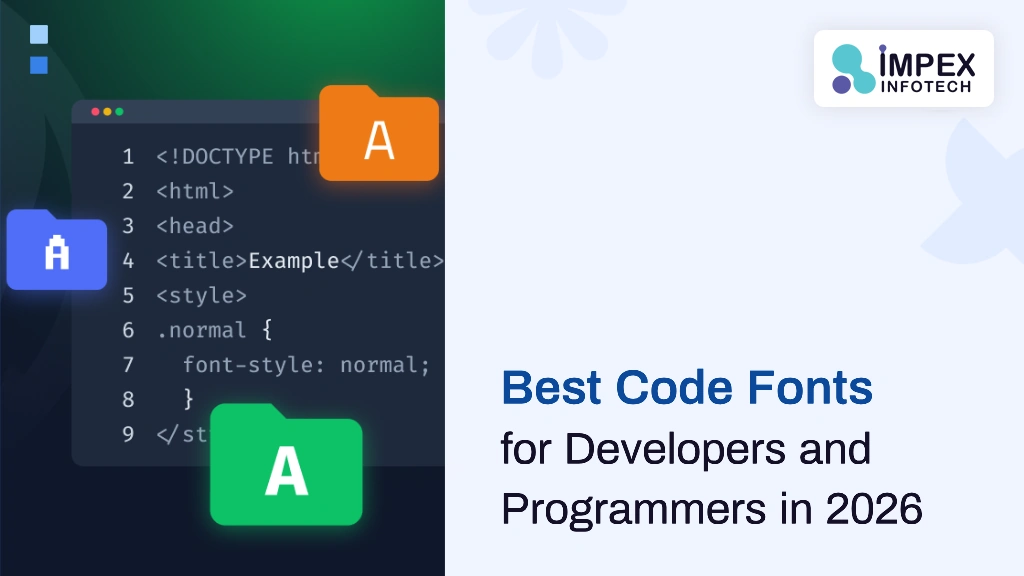
The right coding font reduces eye strain, improves readability, and helps you catch bugs faster. This guide ranks the best programming fonts of 2026, explains what makes a great code font, and shows you how to configure fonts in VS Code, JetBrains IDEs, and terminal emulators.
The best coding fonts in 2026 are: JetBrains Mono (best overall — free, excellent readability, ligatures), Fira Code (best ligatures), Cascadia Code (best for Windows Terminal), Source Code Pro (cleanest Adobe font), Monaspace (GitHub’s new variable font), and MonoLisa (best premium option). All top picks are monospaced with clear character distinction.
📑 Table of Contents
Why Your Coding Font Matters
Developers spend 6–10 hours per day reading and writing code. The font you use directly impacts how quickly you can scan syntax, how easily you spot errors, and how much eye fatigue you experience over long sessions. A poorly chosen font causes misread characters (confusing 0 with O or 1 with l), strained eyes at small sizes, and frustrating alignment issues.
Switching to a well-designed programming font is one of the highest-impact, lowest-effort improvements you can make to your development environment.
- Looking for a trusted IT company near me? Visit https://impexinfotech.com/ to explore scalable solutions in web development, software, and digital growth strategies.
- Choosing the right website design company near me can transform your online presence—Impex Infotech delivers modern, user-friendly, and conversion-focused websites.
- To understand how fonts impact your website design and performance, check out this detailed guide on font formats: https://impexinfotech.com/blog-post/font-file-types/
What Makes a Great Programming Font
- Monospaced: Every character occupies the same width — essential for code alignment and indentation.
- Clear character distinction: Unambiguous shapes for easily confused characters:
0/O,1/l/I,{/(/[. - Legibility at small sizes: Crisp rendering at 12–14px — the range most developers use.
- Balanced spacing: Even kerning and comfortable line height reduce visual fatigue.
- Ligature support (optional): Combined symbols for operators like
=>,!==,<=improve scannability. - Cross-platform consistency: Renders well on Windows, macOS, and Linux.
Top 10 Code Fonts for 2026 (Ranked)
1. JetBrains Mono — Best Overall
Designed by JetBrains specifically for developers, JetBrains Mono features increased x-height for better readability at small sizes, 138 code ligatures, and excellent character disambiguation. It is free, open source, and optimized for long coding sessions. Our top recommendation.
2. Fira Code — Best Ligatures
An extension of Mozilla's Fira Mono with an extensive set of programming ligatures. Fira Code is one of the most popular coding fonts on GitHub — clean, readable, and highly customizable. Free and open source.
3. Cascadia Code — Best for Windows
Microsoft's official coding font, designed for Windows Terminal and VS Code. Features ligatures, a dedicated mono variant (Cascadia Mono), and Powerline symbols for terminal prompts. Free and open source.
4. Source Code Pro — Cleanest Design
Adobe's monospaced font family — clean, neutral, and highly readable. Excellent for developers who prefer a no-nonsense aesthetic without ligatures. Available in multiple weights. Free via Google Fonts.
5. Monaspace — GitHub's Modern Font
Released by GitHub, Monaspace is a superfamily of five variable monospaced fonts. It introduces "texture healing" — a feature that adjusts letter spacing for improved readability while maintaining monospaced alignment. Free and open source.
6. Hack — Reliable Workhorse
Built specifically for source code with excellent readability and strong character differentiation. Hack is a mature, stable choice favored by developers who value function over novelty. Free and open source.
7. IBM Plex Mono — Corporate Clean
IBM's official monospaced typeface — professional, neutral, and available in multiple weights and italics. Great for developers working in corporate environments or documentation-heavy workflows. Free.
8. Iosevka — Most Customizable
A highly customizable, narrow coding font. Iosevka lets you build your own variant by choosing character styles, ligatures, and proportions. Ideal for developers who want maximum screen real estate. Free and open source.
9. MonoLisa — Best Premium
A commercial font designed specifically for developers, with exceptional readability and subtle design refinements. Features ligatures, multiple weights, and italic variants. Paid license ($59+) — worth it for professionals who code daily.
10. Ubuntu Mono — Best for Linux
The default monospaced font in Ubuntu — clean, distinctive, and well-optimized for Linux environments. Slightly wider than other coding fonts, which some developers prefer. Free.
Font Comparison Table
| Font | Ligatures | Variable | License | Best For |
|---|---|---|---|---|
| JetBrains Mono | ✅ 138 | ✅ | Free (OFL) | All-round coding |
| Fira Code | ✅ Extensive | ❌ | Free (OFL) | Ligature enthusiasts |
| Cascadia Code | ✅ | ✅ | Free (OFL) | Windows Terminal, VS Code |
| Source Code Pro | ❌ | ✅ | Free (OFL) | Clean, no-ligature preference |
| Monaspace | ✅ | ✅ | Free (OFL) | GitHub users, texture healing |
| Hack | ❌ | ❌ | Free (MIT) | Traditional, stable setup |
| IBM Plex Mono | ❌ | ✅ | Free (OFL) | Corporate, documentation |
| Iosevka | ✅ Optional | ✅ | Free (OFL) | Narrow, customizable |
| MonoLisa | ✅ | ✅ | Paid ($59+) | Premium readability |
| Ubuntu Mono | ❌ | ❌ | Free (UFL) | Linux environments |
Understanding Ligatures in Code Fonts
Ligatures are special combined glyphs that merge multi-character operators into single visual symbols. For example, => becomes a single arrow, !== becomes a unified not-equal symbol, and <= becomes a less-than-or-equal sign. Ligatures make code easier to scan by reducing visual noise — especially in languages like JavaScript, TypeScript, Haskell, and Elixir that use many symbolic operators.
Ligatures are purely visual — they do not change the actual characters in your file. You can enable or disable them in any IDE that supports OpenType features.
How to Set Up Coding Fonts in Your IDE
VS Code
// settings.json
{
  "editor.fontFamily": "'JetBrains Mono', 'Fira Code', monospace",
  "editor.fontSize": 14,
  "editor.fontLigatures": true,
  "editor.lineHeight": 1.6
}
JetBrains IDEs (IntelliJ, WebStorm, PyCharm)
Go to Settings → Editor → Font. Set the font to JetBrains Mono (pre-installed), adjust size to 13–14, and enable ligatures in the checkbox.
Terminal (macOS/Linux)
Install the font system-wide, then set it in your terminal preferences. For iTerm2: Preferences → Profiles → Text → Font. For Windows Terminal, add "fontFace": "JetBrains Mono" to your settings.json profile.
Our development team at Impex Infotech standardizes on JetBrains Mono across all projects. The combination of ligatures, variable font support, and excellent small-size readability makes it the most productive choice for our full-stack development workflow.
Font Configuration Tips for Readability
- Font size: 13–15px for most displays. 16px+ for high-DPI/Retina screens.
- Line height: 1.5–1.7 provides comfortable vertical spacing for code scanning.
- Font weight: Regular (400) or Medium (500). Avoid thin weights for code.
- Anti-aliasing: Subpixel rendering on LCD, grayscale on OLED for best results.
- Theme pairing: Dark themes (One Dark, Dracula, Tokyo Night) pair well with most coding fonts.
🔑 Key Takeaways
- JetBrains Mono is the best overall coding font — free, readable, ligature support, variable font.
- A great coding font must be monospaced with clear character distinction and small-size legibility.
- Ligatures are optional but popular — Fira Code and JetBrains Mono offer the best ligature sets.
- Configure font size 13–15px, line height 1.5–1.7, and enable ligatures in your IDE settings.
- Most top coding fonts are free and open source — no reason not to upgrade from system defaults.
Building Developer Tools or Web Applications?
Impex Infotech delivers high-performance web and mobile applications with developer-quality code and modern tooling.
Start Your Project →Frequently Asked Questions
JetBrains Mono is the top choice — free, excellent readability, 138 ligatures, variable font. Other top picks: Fira Code, Cascadia Code, Source Code Pro.
Must be monospaced, have clear character distinction (0/O, 1/l/I), stay legible at small sizes, and have balanced spacing. Ligature support is a bonus.
Optional but popular. Ligatures combine operators like => and !== into single symbols for easier scanning. Toggle them off if you prefer traditional appearance.
A font where every character has the same width. Essential for code alignment, indentation, and syntax structure.
Consolas on Windows, Menlo on macOS, monospace fallback on Linux. Easily changeable in Settings.
Most popular ones are free: JetBrains Mono, Fira Code, Cascadia Code, Source Code Pro, Hack. Premium options like MonoLisa require paid licenses.
Recent Posts
Metaverse Meaning in Simple Words: The Complete Guide for 2026
Metaverse Meaning in Simple Words: The Complete Guide for 2026 ⏱ 14 min read The metaverse is reshaping how we...
Read More
Best Code Fonts for Developers and Programmers in 2026: The Definitive Guide
Best Code Fonts for Developers and Programmers in 2026: The Definitive Guide ⏱ 12 min read The right coding font...
Read More
How to Build a Job Portal Website: The Complete Development Guide for 2026
How to Build a Job Portal Website: The Complete Development Guide for 2026 ⏱ 22 min read ⚡ Quick Answer...
Read MoreRecent Posts
Metaverse Meaning in Simple Words: The Complete Guide for 2026
Metaverse Meaning in Simple Words: The Complete Guide for 2026 ⏱ 14 min read The metaverse is reshaping how we...
Read More
Best Code Fonts for Developers and Programmers in 2026: The Definitive Guide
Best Code Fonts for Developers and Programmers in 2026: The Definitive Guide ⏱ 12 min read The right coding font...
Read More
How to Build a Job Portal Website: The Complete Development Guide for 2026
How to Build a Job Portal Website: The Complete Development Guide for 2026 ⏱ 22 min read ⚡ Quick Answer...
Read More