


Best AI Website Builders in 2026: What They Can’t Do (and When to Hire a Developer)
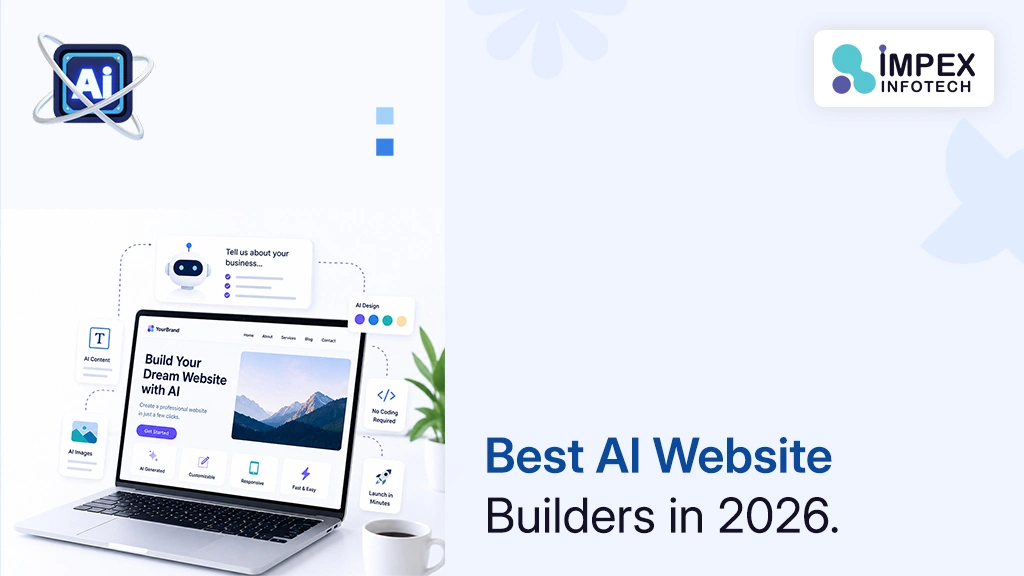
The best AI website builder depends on what your site has to do. Wix is the most complete all-rounder, Squarespace suits design-led service brands, Hostinger and WordPress.com are the cheapest serious starting points, Framer and Webflow give the most design control, Durable gets a local-business site live fastest, 10Web keeps you on portable WordPress, and Shopify is the default for online stores. A builder is often enough for a simple brochure site. Hire a developer when you need custom functionality, complex integrations, verified accessibility, performance at scale or full ownership of the code.
🎯 Key Takeaways
- AI builders generate a full first draft from a short prompt. It is a starting point, not a finished website.
- Headline prices can hide long prepaid terms and much higher renewal rates.
- Ownership varies widely: Wix sites can’t leave Wix, Squarespace exports only part of a site, and WordPress-based builders are the most portable.
- No builder guarantees accessibility. WebAIM found detectable WCAG failures on 95.9% of the top one million home pages in 2026.
- Use a builder to launch quickly; bring in a developer when the website becomes core to how you operate or earn.
01What an AI Website Builder Actually Does
Describe your business in a sentence, such as “a family-run plumbing business in Brampton offering emergency repairs”, and an AI website builder produces a complete draft site in minutes: pages, layout, colours, headings, copy and images.
After that first draft, an AI assistant rewrites text, adds sections and suggests meta tags, and some platforms now run background agents that draft blog posts or marketing emails. What hasn’t changed is the platform underneath. It is still a hosted website builder with its own templates, limits and terms. The AI makes day one faster; it doesn’t change what the platform can do on day 400. That is why this guide gives as much weight to renewal prices, export options and accessibility as to AI features.
02How We Compared These Builders
We shortlisted platforms a small business owner, founder or marketer would realistically use to run a real business website, then compared them using each vendor’s own pricing pages, product pages and help documentation. We looked at:
- Fit: the type of business each platform suits.
- AI features: what the AI generates, and what help continues after launch.
- Cost: free plan, lowest paid plan, billing basis and any stated renewal price.
- Ownership: whether you can export the site or its content.
- Growth limits: page and visitor caps, transaction fees and plugin access.
This is a desk comparison based on vendor documentation. We haven’t run hands-on tests for this article. Where a vendor page didn’t state a detail, we say so rather than guess.
Prices come from official vendor pricing pages, checked on 9 October 2026, in US dollars unless noted. Several vendors localise prices, so you may see different figures in AUD, CAD or INR. Prices generally exclude taxes such as GST unless stated. Plans and AI credits change often, so confirm before you buy. This list is not sponsored, and Impex Infotech receives nothing from any vendor mentioned.
03All 10 AI Website Builders at a Glance
| Builder | Best for | AI features | Free plan | Paid from | Export / ownership |
|---|---|---|---|---|---|
| Wix | All-round small business | Prompt-to-site builder, Aria agent | Yes | About $17/mo yearly (varies by country and tax) | Can’t leave Wix |
| Squarespace | Design-led service brands | Blueprint AI, AI credits | No (14-day trial) | $19/mo yearly ($25 monthly) | Partial (WordPress XML) |
| Hostinger | Lowest entry cost | Agentic builder, AI Writer, AI SEO | No (14-day trial) | $2.99/mo on 48-month prepay; renews $10.99/mo | Not stated |
| GoDaddy Airo | Domain, site and marketing in one | Conversational site and app builder | Free start (50 credits/mo) | See vendor pricing page | Code viewable and editable |
| Framer | Designers and startups | AI agents, localisation | Yes | $10/mo (Basic) | No native export documented |
| Webflow | Growing marketing teams | AI site builder, SEO/AEO audits | Yes (Starter) | $15/mo yearly (Basic) | Code export on paid Workspace plans |
| Durable | Sole traders, local services | AI pages, agents, CRM | Yes | $22/mo yearly ($25 monthly) | Not stated |
| 10Web | AI speed on WordPress | Agentic builder, redesign agent | No | $10/mo ($120 first year; regular $240) | Full WordPress |
| WordPress.com | Content-heavy sites | Guided AI builder, assistant | Yes (with ads) | $4/mo yearly ($9 monthly) | WordPress, portable |
| Shopify | Online stores | Sidekick, prompt-based store setup | No (3-day trial) | $29/mo yearly ($39 monthly) | Product CSV (no images) |
04The 10 Best AI Website Builders
1. Wix: the most complete all-rounder
Wix’s AI builder, now part of Wix Harmony, replaced the older ADI tool for new sites. You describe your business in a chat and it generates pages, copy, visuals and tools such as bookings, a shop or a blog. You then refine it through Aria, Wix’s built-in AI agent, or by drag and drop.
- Strengths: the widest set of built-in business features here; a genuine free plan.
- Limitations: Wix’s help centre states that “your site must run on Wix’s servers”. Custom domains and payments need a Premium plan.
- Pricing: Free plan; paid plans start at roughly $17 a month for Light, about $29 for Core and about $39 for Business, billed yearly. Wix shows USD prices “for reference only” and says price, currency and tax vary by location, so check the figure for your billing country. The free domain voucher covers year one only.
- Choose it if: you want bookings, a shop and a blog in one place and plan to stay on Wix.
2. Squarespace: polished design for service businesses
Squarespace calls Blueprint AI its first AI-powered website builder, guiding you with suggestions that match your brand. It still produces the most consistently polished design out of the box, and every plan includes AI credits.
- Strengths: refined templates; strong for consultants, studios and hospitality.
- Limitations: no free plan; export is a partial WordPress XML file; Basic adds a 2% fee on online store sales.
- Pricing: Basic $19, Core $29, Plus $49, Advanced $99 a month billed annually ($25, $39, $65 and $139 monthly). The free domain renews at the standard rate after year one.
- Choose it if: appearance matters most and your needs are straightforward.
3. Hostinger AI Website Builder: the lowest starting price
Hostinger pairs a conversational “Agentic” mode with a manual editor, plus an AI Writer, AI Logo Maker and AI SEO Assistant. Plans bundle hosting, a first-year domain and email.
- Strengths: very low entry cost; 30-day money-back guarantee.
- Limitations: the headline price needs 48 months paid upfront; AI credits are a small one-time allowance (5 on Premium).
- Pricing: Premium $2.99/mo ($143.52 for 48 months), renewing at $10.99/mo; Unlimited $3.99/mo, renewing at $16.99/mo. Excludes VAT. No free plan; 14-day free trial.
- Choose it if: budget is the main constraint and a long commitment suits you.
4. GoDaddy Airo: AI built into your domain account
Airo is a conversational builder that generates sites and simple web apps with a built-in database. You can ask it to connect services such as Stripe, and you can view and edit the generated code, which is unusual among mainstream builders.
- Strengths: convenient if your domain is already with GoDaddy; free start with 50 AI credits a month, no card required.
- Limitations: credits expire each billing cycle and don’t roll over.
- Pricing: see vendor pricing page (plan prices weren’t shown on the pages we could access). Annual plans include a free domain.
- Choose it if: you want domain, site and marketing tools in one account.
5. Framer: for designers and fast-moving startups
Framer is a visual design tool that publishes hosted websites, with AI agents and localisation running on shared workspace credits. Designers can publish directly, which is why many startups use it for launch sites.
- Strengths: excellent design and animation control; fast publishing.
- Limitations: Basic is capped at 30 pages and 2 CMS collections; we found no native code export documented by Framer.
- Pricing: Free; Basic $10/mo; Pro $30/mo; Enterprise custom. A domain is included on yearly paid plans.
- Choose it if: you have design skills and want a striking marketing site.
6. Webflow: professional control as the site grows
Webflow’s AI site builder turns a prompt into a site with a scalable design system, and its AI tools audit pages for SEO and AEO improvements. Webflow states it doesn’t use customer data to train generative AI models.
- Strengths: professional layout control and a strong CMS; the only builder here whose pricing page documents a site code export.
- Limitations: steeper learning curve; export needs a paid Workspace plan, and forms stop working after export.
- Pricing: Starter free (webflow.io domain, 2 pages); Basic $15/mo and Premium $25/mo, billed yearly.
- Choose it if: a marketing team or agency will manage a growing site.
7. Durable: the fastest route for sole traders
Durable targets small service businesses. It generates the site, and paid plans add AI agents that work in the background on blog posts, site edits, keyword research and social posts. A simple CRM is included.
- Strengths: very quick setup; website plus CRM; unlimited pages and traffic.
- Limitations: limited design flexibility; the free plan uses a durable.site subdomain and caps the CRM at 10 customers.
- Pricing: Free; Launch $22/mo yearly ($25 monthly); Grow $41/mo yearly ($49 monthly).
- Choose it if: you’re a tradesperson or consultant who needs a credible site this week.
8. 10Web: AI speed with WordPress underneath
10Web’s agentic builder creates a site on a full WordPress CMS, hosted by 10Web, with agents for redesigning or cloning existing sites. Because the result is WordPress, a future developer can extend it.
- Strengths: the most portable output among AI-first builders.
- Limitations: AI Starter caps traffic at 10,000 monthly visitors; the money-back guarantee ends once you claim the free domain.
- Pricing: AI Starter $10/mo, sold as $120 for 12 months against a stated regular price of $240. Expect the regular price at renewal unless 10Web says otherwise.
- Choose it if: you want AI speed now and WordPress flexibility later.
9. WordPress.com: budget-friendly and content-first
WordPress.com, Automattic’s hosted service, offers a guided builder where you create a site by chatting with AI, plus an AI assistant for content and design tasks.
- Strengths: very low annual pricing; strong for blogs; plugins from the Personal plan upward, per its pricing page.
- Limitations: the free plan shows ads, has no custom domain and no plugins; AI requests are limited on lower tiers.
- Pricing: Free; Personal $4/mo yearly ($9 monthly); Business $25/mo yearly. Plans auto-renew; the free domain covers year one.
- Choose it if: regular publishing drives your marketing.
10. Shopify: the default for online stores
If selling products is the main job of your site, start here. You can create a store from a prompt or template, and Sidekick, Shopify’s AI assistant, helps with design, product photos, copy and admin tasks using your store data.
- Strengths: mature checkout and inventory; huge app ecosystem; Sidekick on all plans.
- Limitations: app costs add up; third-party payment gateways incur a 2% fee on Basic; product exports exclude images.
- Pricing: Basic $29/mo yearly ($39 monthly); Grow $79/mo yearly. Current offer: 3-day trial, then $1/month for 3 months on most plans.
- Choose it if: ecommerce is the core of the business. See our Shopify vs WooCommerce comparison for the trade-offs.
Tools such as v0, Bolt.new and Lovable generate application code from prompts. They’re excellent for prototypes, but you become responsible for hosting, security, backups, accessibility and content editing. If non-technical staff need to update the site weekly, a website builder or a properly built CMS is usually the better fit.
05What AI Website Builders Still Can’t Do
AI builders have closed much of the gap on looks and setup speed. The gaps that remain are the ones that decide whether a website wins business.
Strategy
A builder can generate a Services page. It can’t decide which service to lead with or how to stand out from the competitors ranking above you.
Original content
Generated copy is fluent but generic. Google warns that AI pages made “without adding value for users” may breach its scaled content abuse policy.
Complex integrations
Linking your CRM, ERP, accounting or booking systems often needs APIs and data mapping beyond any app marketplace.
Custom functionality
Quote calculators, client portals and dashboards with business-specific rules quickly hit platform limits.
Accessibility guarantees
No vendor page we reviewed promises WCAG 2.2 conformance. Builders give you tools; conformance depends on how the site is built and tested.
Performance at scale
Plans cap pages, CMS items or visitors, and every extra app adds scripts that slow pages down.
True ownership
You usually own your content and domain but rent the platform, so leaving is limited by what it lets you export.
The common problem isn’t a bad AI-built site. It’s a decent one that stopped fitting the business. The owner adds a booking app, a pop-up tool, a review widget and a chat plugin to fill gaps, the site slows down, and nobody knows what can be removed. Before you add a fourth paid app to work around a limitation, ask whether the platform is still the right foundation.
06Accessibility: The Gap Most Comparisons Skip
Accessibility means people with disabilities, including screen reader and keyboard users, can use your website. It widens your audience and, in some markets, carries legal risk.
The reference standard is the W3C’s WCAG 2.2, a W3C Recommendation since December 2024, built on four principles (perceivable, operable, understandable, robust) with three levels: A, AA and AAA. Level AA is the usual business target. WCAG 2.2 added criteria that often trip up builder sites, including Focus Not Obscured (sticky headers and cookie banners mustn’t hide the focused element), Target Size (Minimum) and Accessible Authentication.
The problem is widespread. WebAIM’s 2026 analysis of the top one million home pages found detectable WCAG failures on 95.9%, averaging 56.1 errors per page. Low-contrast text appeared on 83.9% of pages and missing alt text on 53.1%, exactly the issues a fashionable AI palette or undescribed AI images can introduce.
In the US, the Department of Justice’s March 2022 guidance states that the Department “has consistently taken the position that the ADA’s requirements apply to all the goods, services, privileges, or activities offered by public accommodations, including those offered on the web.” Canada, Australia and India have their own disability laws, so take local advice if accessibility is a compliance requirement.
Before launch, check colour contrast on every text style, alt text on every meaningful image, that menus and forms work with the Tab key alone, and that form fields have visible labels. Automated scanners catch only part of the picture. If accessibility matters to your customers or contracts, a professional accessibility testing review is worth it.
07SEO Quality and Site Speed
Every builder here handles titles, meta descriptions, sitemaps and mobile layouts. Those basics no longer separate sites that rank from sites that don’t. Three things matter more.
Core Web Vitals
Google Search Central says it “highly recommend[s] site owners achieve good Core Web Vitals for success with Search”. The thresholds, published on web.dev, are:
| Metric | Measures | Good |
|---|---|---|
| Largest Contentful Paint (LCP) | Loading of main content | 2.5 s or less |
| Interaction to Next Paint (INP) | Responsiveness | 200 ms or less |
| Cumulative Layout Shift (CLS) | Visual stability | 0.1 or less |
Builders handle hosting and caching well. What usually breaks these limits is what you add: autoplay video headers, oversized images, third-party widgets and heavy animation. Test key pages in PageSpeed Insights before and after adding apps.
Original, useful content
AI-generated copy tends to read like everyone else’s. Rewrite it with specifics only you can supply: service areas, price ranges, process, credentials and real photos. Google also asks publishers to fact-check AI content before publishing. Specific content is what helps you appear in AI answers too; our guide to SEO vs AEO vs GEO explains how they overlap.
Technical control
Growing sites may need custom structured data, redirect control or multilingual setups. Webflow and WordPress-based platforms give the most room. If organic search is a major channel, pair your platform with a proper search engine optimisation plan.
08Ownership, Export and Lock-In
With most builders you own your domain (if registered in your name), text and images. You usually don’t own the design, code or platform features your site depends on, which matters the day you want to leave.
| Platform | Move the site? | What the vendor documents | Lock-in risk |
|---|---|---|---|
| Wix | No | Site must run on Wix’s servers; external domains can be connected. | High |
| Squarespace | Partly | WordPress XML of layout pages, one blog, text and images; store pages, styles and custom CSS don’t export. | High |
| Framer | No native export found | Export tools we found were third-party plugins. | High |
| Webflow | Yes, with limits | Code export on paid Workspace plans; forms stop working after export. | Medium |
| Shopify | Data, not design | Product CSV export without images. | Medium |
| 10Web, WordPress.com | Yes, broadly | Built on WordPress, widely supported for migration. | Low |
| Hostinger, GoDaddy Airo, Durable | Check first | Site export not documented on pricing pages; Durable says domain transfers out take a couple of weeks. | Ask the vendor |
- Register your domain in your own name and account. Our guide to connecting a domain to hosting explains how the pieces fit.
- Keep originals of images, logos and documents outside the builder.
- Export content and customer lists regularly where the platform allows.
- Diary every plan’s renewal date and renewal price.
09Builder vs Developer: A Decision Framework
For many small businesses, a builder is the right call. A custom build for a five-page brochure site that changes twice a year rarely pays off. The question is where your site sits between simple and business-critical.
| Factor | AI builder is usually enough | Hire a developer |
|---|---|---|
| Size | 1 to 15 pages | Hundreds of pages or many locations and languages |
| Functionality | Contact form, bookings, simple shop | Portals, calculators, custom workflows |
| Integrations | Ready-made app exists | CRM, ERP or APIs with custom logic |
| Accessibility | Best-effort good practice | Contractual or legal conformance required |
| Role of the site | Supports the business | Is the business, or a main sales channel |
| Ownership | Happy renting the platform | Must own and move the code |
Hire a developer when…
- you need functionality no app provides, or you’re stacking paid apps to fake it;
- the site must exchange data reliably with other business systems;
- a customer, contract or regulator requires documented accessibility conformance;
- Core Web Vitals fail and platform settings can’t fix them;
- plans, apps and transaction fees cost more than a maintained custom site would;
- you need your own hosting, code ownership or data residency;
- you’re migrating and need to keep your search rankings.
There’s also a middle path: a professionally built WordPress site your team edits like a builder. That’s what our WordPress development service delivers, and our guide to website build costs sets out realistic budgets for each route.
107-Step Launch Checklist
- Write a one-page brief. Audience, top three services, service area and the one action visitors should take. A specific prompt gives a far better draft.
- Choose for year two, not day one. Compare renewal prices, limits, fees and export options first.
- Register the domain in your name. Use a password manager and two-factor authentication.
- Replace generic AI copy. Add real prices, photos, credentials and answers to customer questions. Fact-check every AI claim.
- Check accessibility. Contrast, alt text, keyboard navigation and form labels against WCAG 2.2 AA.
- Check SEO and speed. Unique titles, Google Search Console, sitemap submitted, Core Web Vitals tested.
- Cover privacy and forms. Publish a privacy policy matching what you collect, add consent tools where required, and test every form.
11Notes for the US, Canada, Australia and India
- Currency: most builders list USD but localise at checkout. Wix states its prices and currency vary by location. Check the final AUD, CAD or INR price, especially on multi-year terms.
- GST in Australia: the ATO describes GST as a 10% tax on most goods and services sold or consumed in Australia, so expect it on many subscriptions.
- GST in India: check whether checkout prices include GST and whether invoices carry your GSTIN for input credit.
- .com.au domains: auDA says .com.au names are for businesses with a connection to Australia, usually shown by an ABN or ACN (an ARBN or Australian trade mark can also qualify), and the name must relate to your business. A street address isn’t required.
- Privacy: rules differ by country, from Canada’s PIPEDA to Australia’s Privacy Act, India’s DPDP Act and US state laws. Know where your builder stores form data, collect only what you need, and get advice for sensitive data.
Australian owners weighing a builder against a custom build may find our guide to small business website redesign in Australia useful.
12Common Mistakes to Avoid
- Choosing on the intro price. Compare total cost over three years, including renewals.
- Publishing the AI draft unchanged. Generic copy doesn’t persuade, and mass-produced pages risk Google’s spam policies.
- Letting the builder own your domain. Keep registration under your control.
- Ignoring accessibility. Contrast and alt text issues are cheap to prevent and costly to fix later.
- Stacking apps to fix limits. Each adds cost, scripts and a point of failure.
- Migrating without redirects. Unmapped URLs can wipe out years of search traffic.
13How Impex Infotech Can Help
We’ll tell you honestly when a builder is enough. When it isn’t, Impex Infotech helps businesses across India, Australia, the USA and Canada with:
- Custom websites: web design and web development for sites that need distinctive design, integrations or custom features.
- Ecommerce: Shopify development for stores that have outgrown a theme and a handful of apps.
- Ongoing care: updates, security and performance through WordPress website care plans.
Learn more on the Impex Infotech homepage.
14Frequently Asked Questions
What is the best AI website builder in 2026?
For most small businesses, Wix is the most complete all-rounder. Squarespace suits design-led brands, Shopify online stores, Webflow and Framer design control, and Hostinger or WordPress.com the lowest budgets. Choose on your site’s purpose, multi-year cost and whether you may need to move it later.
Is there a free AI website builder?
Yes. Wix, Framer, Webflow, Durable and WordPress.com had free plans on 9 October 2026, and GoDaddy Airo offered a free start with 50 AI credits a month. Free plans use the builder’s subdomain, show branding or ads, and limit features.
What is the best AI website builder for small business?
For a local service business needing a site fast, Durable and Wix are strong options. For content-led businesses, WordPress-based 10Web or WordPress.com offer more long-term flexibility. If you sell products, start with Shopify.
Can AI website builders create an SEO-friendly website?
They handle technical basics well. Ranking still depends on original content, good Core Web Vitals (LCP 2.5 s or less, INP 200 ms or less, CLS 0.1 or less) and a clear strategy. Rewrite and fact-check AI copy before publishing.
Are AI-generated websites accessible?
Not automatically. No builder we reviewed guarantees WCAG 2.2 conformance. Check contrast, alt text, keyboard navigation and form labels, or have the site professionally tested.
Can I move my AI-built website to another platform later?
It depends. Wix sites can’t be hosted elsewhere, Squarespace exports only part of a site, Webflow offers code export on paid Workspace plans, and WordPress-based builders are the most portable. Moving usually means rebuilding the design, migrating content and setting up redirects.
When should I hire a developer instead of using an AI website builder?
When you need custom functionality, reliable integrations, documented accessibility, better performance than the platform allows, or full code ownership. A developer is also worth involving when you migrate off a builder, to protect your search traffic.
Not sure if a builder is enough for your business?
Tell us what your website needs to do. We’ll give you an honest recommendation, whether that’s staying on a builder, extending WordPress or building something custom.
Get a Free Consultation →15References
- W3C, Web Content Accessibility Guidelines (WCAG) 2.2, W3C Recommendation, 12 December 2024. Principles, levels and new 2.2 criteria (section 06).
- U.S. Department of Justice, Guidance on Web Accessibility and the ADA, 18 March 2022. ADA position on goods and services offered on the web (section 06).
- WebAIM, The WebAIM Million (2026). Home pages with detected WCAG failures, average errors, contrast and alt text (key takeaways, section 06).
- Google, web.dev, Web Vitals. LCP, INP and CLS thresholds at the 75th percentile (section 07, FAQ).
- Google Search Central, Understanding Core Web Vitals and Google search results. Recommendation on Core Web Vitals (section 07).
- Google Search Central, Guidance on using generative AI content on your website. Scaled content abuse and fact-checking (sections 05, 07, 12).
- Wix, Plans (checked 9 Oct 2026), AI Website Builder and Exporting or embedding your Wix site elsewhere.
- Squarespace, Pricing (checked 9 Oct 2026), Exporting your site and Squarespace Refresh 2024 (Blueprint AI).
- Hostinger, AI Website Builder. Promo and renewal prices, terms and AI features (checked 9 Oct 2026).
- GoDaddy, Website Builder and Airo. AI features, free start and credits (checked 9 Oct 2026).
- Framer, Pricing. Plans, credits and page limits (checked 9 Oct 2026).
- Webflow, Pricing (checked 9 Oct 2026) and Webflow AI. Plans, code export and AI features.
- Durable, Pricing. Plans, AI agents, CRM and domain terms (checked 9 Oct 2026).
- 10Web, Pricing. First-year and regular prices, WordPress CMS, limits (checked 9 Oct 2026).
- WordPress.com, Pricing. Plans, free plan limits, plugins and AI builder (checked 9 Oct 2026).
- Shopify, Pricing (checked 9 Oct 2026), Shopify AI and Sidekick and Exporting products.
- Australian Taxation Office, How GST works. 10% GST rate (section 11).
- auDA, com.au and net.au rules: eligibility and allocation. .com.au eligibility (section 11).
Recent Posts
Best No Code App Builders
10 Best No-Code and Low-Code App Builders in 2026 (and When You Need Custom Development) ⏱ 19 min read ·...
Read More
15 Best Free SEO Tools in 2026
15 Best Free SEO Tools in 2026 (and What Each One Is Actually Good For) ⏱ 18 min read ·...
Read More
10 Best AI Coding Assistants for Developers in 2026
10 Best AI Coding Assistants for Developers in 2026 (Compared) ⏱ 19 min read · Pricing checked 9 October 2026...
Read MoreRecent Posts
Best No Code App Builders
10 Best No-Code and Low-Code App Builders in 2026 (and When You Need Custom Development) ⏱ 19 min read ·...
Read More
15 Best Free SEO Tools in 2026
15 Best Free SEO Tools in 2026 (and What Each One Is Actually Good For) ⏱ 18 min read ·...
Read More
10 Best AI Coding Assistants for Developers in 2026
10 Best AI Coding Assistants for Developers in 2026 (Compared) ⏱ 19 min read · Pricing checked 9 October 2026...
Read More