


15 Best Free SEO Tools in 2026 (and What Each One Is Actually Good For)
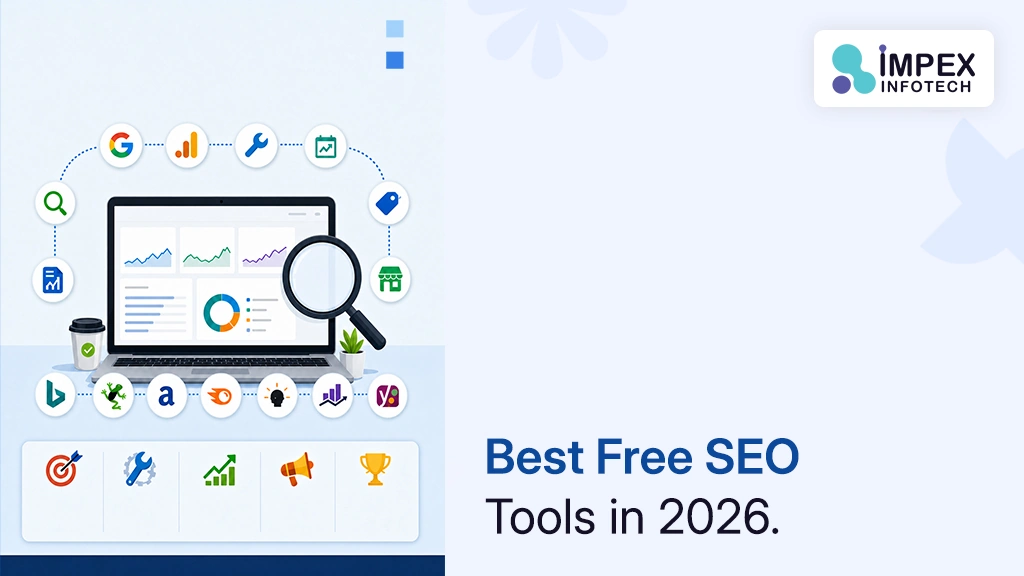
The best free SEO tools in 2026 start with Google’s own: Search Console for rankings and indexing, Google Analytics 4 for conversions, PageSpeed Insights for speed and Core Web Vitals, and Keyword Planner and Google Trends for keyword research. Add Bing Webmaster Tools for Bing and Copilot visibility, Screaming Frog (free up to 500 URLs) for technical audits, and Ahrefs Webmaster Tools for free backlink and keyword data on your own verified site. WordPress sites can cover most on-page basics with the free version of Rank Math or Yoast SEO.
🎯 Key Takeaways
- Free tools cover around 80% of what a small or mid-sized business needs: indexing, rankings, speed, technical audits, on-page basics and reporting.
- Google Search Console is the only source of first-party data on which queries actually bring Google searchers to your site. Set it up before anything else.
- Paid suites mainly add competitor data. For your own site, Ahrefs Webmaster Tools, Bing Webmaster Tools and Search Console give a lot away free.
- Treat third-party search volumes as estimates. Google Trends shows relative interest on a 0–100 scale, not absolute searches.
- Tools find problems; they don’t fix them. A simple weekly routine (section 05) turns data into improvements.
01Can Free SEO Tools Really Replace Paid Ones?
For your own website, mostly yes. For spying on competitors, mostly no. That distinction explains most of the price gap in the SEO tools market.
The most important SEO data about your site comes from the search engines themselves, and they give it away. Google Search Console describes itself as a free service that helps you monitor and troubleshoot your site’s presence in Google Search. It shows which queries surface your pages and how often searchers click. No third-party tool can see that data directly; the paid suites estimate it from their own crawls and clickstream panels.
What paid suites like Semrush and Ahrefs do better is the outside view: estimated traffic for competitors, their backlink profiles, keyword gaps between your site and theirs, and large keyword databases with volume and difficulty estimates. For agencies and businesses in competitive markets, those features are worth paying for. For a local service business, a startup or a company with one website, a well-chosen free stack usually covers the fundamentals.
Free-plan limits come from each provider’s own website or documentation, checked on 9 October 2026. Free tiers change often, so confirm the current limits on the linked pages. No tool on this list paid to be included.
02All 15 Free SEO Tools at a Glance
| # | Tool | Best for | Free limit / catch |
|---|---|---|---|
| 1 | Google Search Console | Queries, clicks, indexing, errors | Fully free; your verified sites only |
| 2 | Google Analytics 4 | Traffic, engagement, conversions | Standard version free |
| 3 | Google Keyword Planner | Keyword ideas and volume estimates | Needs a Google Ads account with billing set up |
| 4 | Google Trends | Seasonality and rising topics | Relative 0–100 scale, not volumes |
| 5 | PageSpeed Insights | Core Web Vitals and speed fixes | Fully free |
| 6 | Rich Results Test | Validating structured data | Fully free; one URL at a time |
| 7 | Google Business Profile | Local search and Maps | Free; physical or service-area businesses |
| 8 | Data Studio (formerly Looker Studio) | SEO dashboards and reports | Free |
| 9 | Bing Webmaster Tools | Bing visibility, IndexNow | Free; imports sites from Search Console |
| 10 | Screaming Frog SEO Spider | Technical crawl audits | 500 URLs per crawl |
| 11 | Ahrefs Webmaster Tools | Your backlinks, keywords and site audit | Verified sites only; 5,000 audit credits/project/month |
| 12 | Semrush Free | Occasional competitor look-ups | 10 reports/day, 1 demo project |
| 13 | AnswerThePublic | Question-based content ideas | Limited free daily searches |
| 14 | Rank Math (free) | On-page SEO in WordPress | Rank tracking and advanced schema are paid |
| 15 | Yoast SEO (free) | On-page SEO in WordPress | Many automations are Premium-only |
03Google’s Free SEO Tools (1–8)
Start here. These tools use Google’s own data, cost nothing, and between them answer the questions that matter most: is Google finding my pages, which searches bring visitors, and what do those visitors do next?
1. Google Search Console: the non-negotiable starting point
If you install only one SEO tool, make it this one. Search Console shows how often your site appears in Google, for which queries, and how often people click. It also tells you whether Google can find and crawl your pages, alerts you to indexing, spam and other issues, and shows which sites link to yours.
- Best use: find queries where you rank on page two (positions 11–20) with decent impressions. Improving those pages is often the fastest SEO win available.
- Also use it to: submit your XML sitemap, inspect individual URLs and request reindexing after significant updates.
- Limitation: it only shows your own verified sites, and performance data covers a limited history window.
2. Google Analytics 4: from rankings to revenue
Search Console tells you who arrived from Google; Analytics tells you what they did next. GA4 uses event-based measurement across websites and apps, so you can track the actions that matter: contact-form submissions, calls, purchases and sign-ups. The standard version is free; Analytics 360 is the paid enterprise edition.
- Best use: mark your enquiry form submission as a key event, then report organic search conversions, not just traffic.
- Tip: link GA4 with Search Console so query data and on-site behaviour appear side by side.
- Limitation: the interface has a learning curve, and data quality depends entirely on how carefully tracking is set up.
3. Google Keyword Planner: keyword ideas from Google’s ad data
Keyword Planner sits inside Google Ads and is built for advertisers, but it is one of the few free sources of keyword data that comes from Google itself. You enter a seed term or a competitor URL and get related keywords, search-volume estimates and bid ranges.
- The catch: Google’s help documentation says you must complete account setup, including billing information, to access basic features. You don’t have to run a campaign to use it.
- Best use: grouping keyword ideas into topic clusters, and comparing interest across countries such as the US, Canada, Australia and India.
- Limitation: volumes are estimates, and very low-volume keywords may not appear at all.
4. Google Trends: timing and direction, not volume
Trends shows how interest in a search topic changes over time and by region. Google’s help article explains that values are scaled from 0 to 100 based on a topic’s proportion of all searches. That makes it excellent for spotting seasonality and rising topics, but it is not a volume tool.
- Best use: deciding when to publish seasonal content, and choosing between two phrasings of the same idea.
- Watch for: two regions with the same Trends score can have very different absolute search volumes.
5. PageSpeed Insights: speed and Core Web Vitals in one report
PageSpeed Insights combines two kinds of data. Lab data from Lighthouse simulates a page load on a set device and network, which is useful for debugging. Field data from the Chrome UX Report reflects real users over the previous 28 days, measured at the 75th percentile. When the two disagree, field data is what real visitors experience.
- Best use: test your highest-traffic templates (home, service pages, blog posts, product pages), not just the homepage.
- Targets: Google’s “good” thresholds are LCP of 2.5 seconds or less, INP of 200 milliseconds or less, and CLS of 0.1 or less.
- Limitation: low-traffic pages may not have enough field data, so PSI falls back to origin-level data.
6. Rich Results Test: check your structured data
The Rich Results Test checks a publicly accessible page to see which Google rich results its structured data can generate, and flags errors. If you add schema for articles, products, local businesses or events, test every template here before and after launch.
- Pair it with: the Schema Markup Validator at validator.schema.org for checking markup beyond Google-supported types.
- Keep expectations realistic: valid markup makes a page eligible for rich results; it doesn’t guarantee them.
7. Google Business Profile: free local visibility
For any business that serves customers in a specific area, this is the most valuable free SEO asset you own. Google’s help documentation says local results are based mainly on relevance, distance and prominence, and that businesses cannot pay for a better local ranking.
- Best use: complete every field, choose accurate categories, add real photos, keep hours current and respond to reviews.
- Why it matters: searches like “near me” are largely answered by the local pack and Maps, where your profile appears, not your blog.
8. Data Studio (formerly Looker Studio): free SEO reporting
Google’s reporting tool, renamed from Looker Studio back to Data Studio, is a no-cost way to turn your data into dashboards. Connect Search Console and Analytics, build one report, and you never have to screenshot five tools for a monthly update again.
- Best use: a one-page monthly dashboard showing organic clicks, top queries, top landing pages and organic conversions.
- Limitation: large reports with many data sources can load slowly.
04Other Free SEO Tools Worth Using (9–15)
9. Bing Webmaster Tools: the most underused free tool in SEO
Bing powers more search experiences than many people realise, including Microsoft’s Copilot. Bing Webmaster Tools is free, and since 2019 you can import verified sites straight from Google Search Console. Bing says imported sites are verified automatically, so setup takes a couple of minutes.
- Best use: monitor Bing performance and use IndexNow, a protocol supported by Bing and several other search engines that pings them when pages are added, updated or deleted.
- Worth watching: Bing has added AI performance reporting showing how often a site is cited in Copilot answers, according to several SEO publications. That’s useful if you are tracking AI search visibility. Our explainer on SEO vs AEO vs GEO covers why that matters.
10. Screaming Frog SEO Spider: a professional crawler, free for small sites
Screaming Frog crawls your site the way a search engine would and lists every technical issue it finds: broken links, redirect chains, missing or duplicate titles and meta descriptions, and more. The free version is capped at 500 URLs per crawl; a paid licence removes the cap and adds features such as saved crawls and integrations.
- Best use: a full audit before and after a website redesign, and a quarterly check for broken links and redirect chains.
- Limitation: it is a desktop application, and the raw data takes some SEO knowledge to prioritise.
11. Ahrefs Webmaster Tools: premium-grade data for your own site
Ahrefs gives away a meaningful slice of its paid platform for sites you verify. That includes a site audit checking 170+ technical and on-page issues, all known backlinks to your site, and the keywords your site ranks for in Google. The free audit allows 5,000 crawl credits per project per month.
- Best use: monitoring new and lost backlinks, and finding keywords you already rank for that deserve a dedicated page. Our guide on whether linking to other websites helps SEO explains the other side of the link equation.
- Limitation: competitor analysis requires a paid subscription.
12. Semrush Free: a taste of a full suite
Semrush’s free plan includes one demo project and 10 reports per day across its main tools. That isn’t enough to run SEO day to day, but it is enough to check a competitor’s top keywords, look up a keyword’s difficulty, or sense-check a strategy before you commit to a paid tool.
- Best use: occasional competitor snapshots when planning content.
- Limitation: the daily cap runs out quickly; paid plans start well above $100 a month.
13. AnswerThePublic: the questions your customers type
AnswerThePublic turns a seed keyword into the questions, comparisons and prepositions people search for, such as “how much does…”, “…vs…” and “…near me”. It is a quick source of FAQ ideas and blog headings that match how real people phrase things. The free plan has a limited number of daily searches.
- Best use: building the FAQ section of a service page or finding long-tail blog topics.
- Limitation: it shows phrasing, not reliable volume, so validate promising ideas in Keyword Planner or Search Console.
14. Rank Math (free): on-page SEO controls for WordPress
For WordPress sites, an SEO plugin handles the basics: titles, meta descriptions, XML sitemaps and schema. Rank Math’s free version is unusually broad. It includes Search Console and Analytics integration, an SEO analysis with 30+ tests, a redirection manager, a 404 monitor, a robots.txt editor and several schema types.
- Best use: managing redirects and schema without extra plugins.
- Limitation: keyword rank tracking and advanced schema and analytics features are paid.
15. Yoast SEO (free): the long-standing WordPress default
Yoast SEO is the other widely used WordPress SEO plugin. The free version handles the essentials (titles, meta descriptions, sitemaps and readability guidance), and Yoast’s Premium tier automates more of the manual work. Use Rank Math or Yoast, not both, because two SEO plugins will output conflicting meta tags and schema.
- Best use: sites where editors want simple, familiar on-page guidance.
- Limitation: features such as redirect management require Premium.
Plugins are only part of keeping a WordPress site healthy. See what ongoing upkeep involves in our guide to WordPress website care plans.
Setting up the core free stack in about an hour
If you are starting from nothing, this order avoids rework, because each step feeds the next:
- Verify your domain in Google Search Console using a DNS record (domain property), so every subdomain and protocol is covered. Submit your XML sitemap.
- Install GA4, either directly or through Google Tag Manager, and mark your enquiry form submission, phone-click and purchase events as key events.
- Link GA4 and Search Console inside GA4’s admin settings.
- Import your site into Bing Webmaster Tools from Search Console. It verifies automatically.
- Claim or update your Google Business Profile if you serve customers locally.
- Verify your site in Ahrefs Webmaster Tools (it can connect via Search Console) and start the first site audit.
- Run Screaming Frog and PageSpeed Insights once to create a baseline, and save the results with today’s date.
Working on a domain or hosting change at the same time? Our guide on connecting a domain to hosting for WordPress explains the DNS steps that also affect Search Console verification.
05A 30-Minute Weekly SEO Routine Using Free Tools
The tools above are only useful if you open them. Here is a simple weekly routine for a business owner or marketer. It assumes Search Console, GA4 and Bing Webmaster Tools are already set up.
- Check for problems (5 min). In Search Console, review the Pages (indexing) report and any messages. In Bing Webmaster Tools, check for crawl errors.
- Find quick wins (10 min). In Search Console’s Performance report, filter to the last 28 days and sort queries by impressions. Note pages ranking in positions 8–20 that you could improve with better content, titles or internal links.
- Check conversions (5 min). In GA4, compare organic search key events with the previous period. Rising traffic with falling enquiries usually points to a page or form problem, not an SEO problem.
- Act on one page (10 min). Improve one page from step 2: tighten the title, answer the query more directly, add internal links from related pages, then request reindexing.
Once a month, add a PageSpeed Insights check on your key templates and a Screaming Frog crawl for broken links. Once a quarter, review backlinks in Ahrefs Webmaster Tools and refresh your keyword map with Keyword Planner and Trends.
Keep a simple change log: the date, the page, and what you changed. When rankings move in Search Console a few weeks later, you’ll know why, which is something no tool can tell you on its own.
06Which Free Tools to Use for Each SEO Task
| SEO task | Primary free tool | Supporting tool |
|---|---|---|
| Keyword research | Keyword Planner | Google Trends, AnswerThePublic, Search Console |
| Rank and click tracking | Search Console | Bing Webmaster Tools |
| Technical audit | Screaming Frog (≤500 URLs) | Ahrefs Webmaster Tools site audit |
| Speed and Core Web Vitals | PageSpeed Insights | Search Console Core Web Vitals report |
| On-page optimisation | Rank Math or Yoast | Search Console query data |
| Structured data | Rich Results Test | Schema Markup Validator |
| Backlinks | Ahrefs Webmaster Tools | Search Console Links report |
| Local SEO | Google Business Profile | Search Console (local landing pages) |
| Reporting | Data Studio | GA4 |
| Competitor research | Semrush Free (limited) | Manual search-result review |
If your audience spans several countries, like many of our clients in the USA, Canada, Australia and India, use Search Console’s country filter and Keyword Planner’s location targeting. Search behaviour and terminology differ by market, and a keyword that matters in Sydney may barely register in Toronto.
07Where Free Tools Fall Short
An honest list of what you give up by staying free:
What free tools do well
- First-party Google and Bing data
- Technical audits for small sites
- On-page basics in WordPress
- Reporting and conversion tracking
- Some setup and learning time
- Data spread across many tools
What usually needs a paid tool
- Competitor traffic and keyword gaps
- Large keyword databases
- Daily rank tracking at scale
- All third-party volumes are estimates
- Costs grow with users and projects
A sensible approach is to master the free stack first, then pay for one suite only when a specific question (usually about competitors) keeps coming up that free tools can’t answer.
08Common Mistakes With Free SEO Tools
- Chasing a perfect Lighthouse score. Lab scores are a debugging aid. Prioritise field Core Web Vitals and fixes that affect real users.
- Treating every audit warning as urgent. Crawlers flag hundreds of items. Fix indexing blockers, broken pages and missing titles first.
- Reading Google Trends as search volume. It is relative interest on a 0–100 scale.
- Running two SEO plugins. Rank Math and Yoast together produce duplicate tags and schema.
- Measuring traffic instead of enquiries. Without conversion tracking in GA4, you can’t tell good traffic from bad.
- Ignoring Bing. It takes two minutes to import your sites, and it shows a different slice of search, including AI answers.
- Forgetting redirects during a redesign. Crawl the old site before launch so every old URL can be mapped to a new one. Our article on why websites need regular updates covers the wider maintenance picture.
09When to Bring In an SEO Team
Free tools are enough to find problems. The harder part is knowing which ones matter, fixing them properly and building content that earns rankings. It may be time for help when:
- Search Console shows pages that aren’t indexed and you can’t work out why.
- Core Web Vitals fail on key templates and the fixes need development work.
- You’re redesigning or migrating your site and can’t afford to lose rankings.
- You rank, but enquiries don’t follow.
At Impex Infotech, our search engine optimization services cover technical fixes, on-page optimisation and content, and our wider website promotion services include Google Ads (PPC) management and social media marketing. When speed or structure problems are rooted in the site itself, our WordPress development and website design teams fix them at source. We work with businesses across India, Australia, the USA and Canada. Learn more on the Impex Infotech homepage.
10Frequently Asked Questions
What is the best free SEO tool?
Google Search Console. It is the only free source of Google’s own data on which queries show your pages, how often people click, and whether your pages are indexed. Every other tool on this list works best alongside it.
Can I do SEO without paid tools?
Yes, for most small and mid-sized websites. Search Console, GA4, PageSpeed Insights, Keyword Planner, Bing Webmaster Tools, Screaming Frog’s free version and Ahrefs Webmaster Tools cover indexing, rankings, speed, technical audits and backlinks. Paid tools mainly add competitor research and larger keyword databases.
Is Google Keyword Planner free?
It is available inside Google Ads without running a campaign, but Google requires you to complete account setup, including billing information, to access its basic features. Its volumes are estimates designed for advertisers.
What is the best free keyword research tool?
Use a combination: Keyword Planner for volume estimates, Google Trends for seasonality and direction, AnswerThePublic for question-style phrasing, and Search Console for the queries you already appear for. Search Console data is often the most valuable because it is real.
How do I check my website’s SEO for free?
Verify your site in Search Console and review the indexing and performance reports, test key pages in PageSpeed Insights, crawl the site with Screaming Frog (up to 500 URLs free), and run a site audit in Ahrefs Webmaster Tools. Together they cover indexing, speed, on-page and technical issues.
Do I need both Rank Math and Yoast SEO?
No. Choose one. Running two SEO plugins on the same WordPress site produces duplicate meta tags and structured data, which can confuse search engines.
Do free SEO tools help with AI search visibility?
Partly. The fundamentals they measure (indexing, clear structure, speed, structured data and helpful content) also support visibility in AI-generated answers. Bing Webmaster Tools has added reporting on citations in Copilot, but no tool can guarantee inclusion in AI answers.
Found problems in your free SEO audit? We can fix them.
Send us your website and what you’ve spotted in Search Console or PageSpeed Insights. Impex Infotech will tell you what matters, what doesn’t, and what it would take to fix.
Get a Free Consultation →11References
- Google Search Console Help, About Search Console. Search Console as a free service and its capabilities (tool 1).
- Google Ads Help, Use Keyword Planner. Account and billing setup requirement (tool 3, FAQ).
- Google Trends Help, FAQ about Google Trends data. 0–100 normalisation (tool 4).
- Google for Developers, About PageSpeed Insights. Lab vs field data, 28-day CrUX window (tool 5).
- web.dev, Web Vitals. Core Web Vitals thresholds (tool 5).
- Google Search, Rich Results Test (tool 6).
- Google Business Profile Help, Tips to improve your local ranking on Google (tool 7).
- Google Cloud, Data Studio documentation. Rename from Looker Studio; no-cost tool (tool 8).
- Bing Webmaster Blog, Import sites from Google Search Console (13 Sep 2019, updated 2025) (tool 9).
- IndexNow, IndexNow.org. Protocol and participating engines (tool 9).
- Search Influence, Inside Bing’s New AI Performance Report. Secondary source on Copilot citation reporting (tool 9).
- Screaming Frog, SEO Spider pricing. 500-URL free limit (tool 10).
- Ahrefs, Ahrefs Webmaster Tools. Free features and limits (tool 11).
- Semrush, Plans and pricing. Free plan limits (tool 12).
- AnswerThePublic, Pricing (tool 13).
- Rank Math, Pricing and free features (tool 14).
- Yoast, Yoast SEO plugin (tool 15).
Recent Posts
Best No Code App Builders
10 Best No-Code and Low-Code App Builders in 2026 (and When You Need Custom Development) ⏱ 19 min read ·...
Read More
15 Best Free SEO Tools in 2026
15 Best Free SEO Tools in 2026 (and What Each One Is Actually Good For) ⏱ 18 min read ·...
Read More
10 Best AI Coding Assistants for Developers in 2026
10 Best AI Coding Assistants for Developers in 2026 (Compared) ⏱ 19 min read · Pricing checked 9 October 2026...
Read MoreRecent Posts
Best No Code App Builders
10 Best No-Code and Low-Code App Builders in 2026 (and When You Need Custom Development) ⏱ 19 min read ·...
Read More
15 Best Free SEO Tools in 2026
15 Best Free SEO Tools in 2026 (and What Each One Is Actually Good For) ⏱ 18 min read ·...
Read More
10 Best AI Coding Assistants for Developers in 2026
10 Best AI Coding Assistants for Developers in 2026 (Compared) ⏱ 19 min read · Pricing checked 9 October 2026...
Read More