


How to Use AI for Social Media Marketing to Boost Engagement
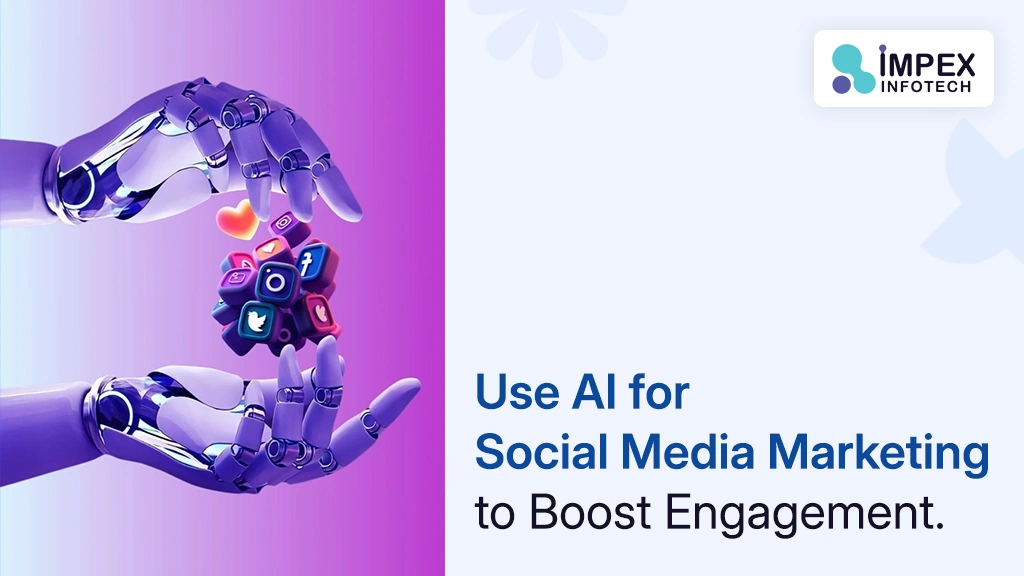
To use AI for social media marketing, let AI handle the repetitive parts — content ideas, caption drafts in your brand voice, image generation, hashtag research and post scheduling — while a human reviews everything for tone and accuracy before it goes live. To automate regular Instagram and Facebook posting, connect both accounts to a scheduler (Meta Business Suite is free; Buffer, Later and Hootsuite add AI content features), generate a batch of posts in advance with an AI writing/image tool, and load them into the scheduler’s queue so they publish automatically at set times — with no daily manual work. This works for solo creators and small businesses in Rajkot, across India, Australia and the USA alike. Written by Impex Infotech, a website designer in Rajkot also handling AI-driven digital marketing setups.
🎯 Key Takeaways
- AI is a first-draft engine, not an autopilot for strategy. It writes, designs and schedules — you still decide what to say and approve it before it publishes.
- Automation ≠ “set and forget forever.” Batch-generate content weekly or monthly, review it once, then let the scheduler publish it.
- Meta Business Suite is free and enough to automate Instagram and Facebook posting for most small businesses.
- Brand voice inputs matter more than the AI tool you pick. The same tool produces generic or great captions depending on what you feed it.
- Never fully automate customer complaints or sensitive DMs — route those to a human.
- Want it fully set up for you? Impex Infotech configures AI content workflows and automated posting for businesses across Rajkot, India, Australia and the USA.
01Why AI Changes Social Media Marketing
Running a consistent Instagram and Facebook presence used to mean daily manual work: coming up with an idea, writing a caption, designing or finding an image, picking the right time to post, and then checking back for comments. For a solo founder or a small marketing team, that adds up to hours every week — hours that are usually the first thing to get skipped when things get busy, which is exactly why so many business pages go quiet after a strong start.
AI changes the economics of that workflow. A tool that used to take a copywriter twenty minutes to draft a caption now takes seconds. An image that needed a designer can be generated on the spot. And a scheduling tool means none of it has to happen “live” — you can batch a month of content in one sitting and let it publish itself. The result isn’t that marketing becomes fully automatic; it’s that the boring, repetitive 80% gets compressed so you can spend your time on the 20% that actually needs human judgment — strategy, offers, and genuine engagement with your audience.
02Where AI Actually Helps (and Where It Doesn’t)
Being clear about this split is what separates a social presence that feels automated-but-genuine from one that feels obviously robotic.
- Brainstorming content ideas and topics
- First-draft captions and hashtag suggestions
- Resizing/repurposing one post into multiple formats
- Generating on-brand graphics and templates
- Scheduling and optimal-time publishing
- Summarising analytics in plain language
- Answering repetitive FAQ-style comments/DMs
- Overall brand strategy and positioning
- Responding to complaints or upset customers
- Anything involving pricing negotiation
- Sensitive, legal or crisis communication
- The final tone check before something publishes
Consumer research keeps landing on the same finding: a meaningful share of people can tell when content feels emotionally generic, and AI captions posted without any personal edit are the most common way that happens. The fix isn’t avoiding AI — it’s using it as a drafting tool, then adding the specific story, number or opinion only you have.
03Best AI Tools for Social Media Marketing in 2026
There’s no single tool that does everything best — most solid workflows combine two or three, one for each job.
| Job | Common Tool Types | What They’re Good For |
|---|---|---|
| Scheduling & publishing | Meta Business Suite, Buffer, Hootsuite, Later, SocialPilot | Queueing posts across Instagram, Facebook and other channels to publish automatically |
| Caption & content writing | General AI chat tools (Claude, ChatGPT), platform-specific writers | Drafting captions, hooks and hashtag sets in your brand voice |
| Visual design | Canva Magic Studio, Adobe Express, dedicated AI image tools | Generating graphics, resizing for each platform, on-brand templates |
| DM & comment automation | Meta-API-based DM/comment tools | Comment-to-DM funnels, FAQ auto-replies, lead capture |
| All-in-one AI pipelines | AI-native marketing platforms | Ideation → writing → design → scheduling → reporting in one workspace, for teams managing volume |
Start with the free tier of one scheduler (Meta Business Suite costs nothing) and one AI writing tool before paying for an all-in-one platform. Most small businesses in Rajkot and beyond outgrow the free stack far slower than they expect — and it’s easier to see exactly which step needs upgrading once you’ve actually used the basics for a few weeks.
04How to Automate Instagram & Facebook Posting
“Automated posting” means your content is written and scheduled in advance, then publishes itself with no one clicking “post” that day. There are two practical routes:
- Meta Business Suite (free, native): Connect your Instagram Business account and Facebook Page, use the built-in composer (which now includes AI caption suggestions), and schedule posts directly — no third-party tool or API setup needed.
- Third-party scheduler (Buffer, Later, Hootsuite, SocialPilot, etc.): These connect to Instagram and Facebook through Meta’s official Graph API using a secure login, then add features like bulk CSV uploads, AI caption/image generation, and cross-posting to other platforms in one dashboard.
Either route achieves the same outcome: you write and approve content once, and it goes live automatically on schedule going forward.
05Step-by-Step: Setting Up Automated Posting
Once this loop is running, your Instagram and Facebook presence stays active every day without anyone manually posting — you’re only touching the system once a week or month to approve the next batch and check performance.
06Keeping AI Content in Your Brand Voice
The single biggest reason AI-generated social content underperforms isn’t the AI — it’s the input. Feed a generic prompt, get a generic caption. Feed the tool real context, and the output is far closer to something you’d actually publish.
- Give it examples. Paste 5–10 of your best-performing past captions so the AI can match rhythm, humour and tone, not just topic.
- Write a one-page brand voice guide. Formal or casual? Emoji-heavy or minimal? First person or brand-as-narrator? A short reference document dramatically improves consistency.
- Add one specific detail per post. A real number, a customer’s actual words, a specific local reference (a Rajkot landmark, a recent local event) — this is what separates a post that feels written by a person from one that feels templated.
- Always edit before scheduling. Treat every AI draft as a starting point you personalise, not a finished caption.
07Automating Comments & DM Replies
Beyond posting, a growing part of “AI for social media” is automating the conversations that happen after a post goes live:
- Trigger word in a comment sends an automatic DM
- Moves the conversation to a private channel
- Popular for Reels-based lead generation
- Instant answers to common questions
- Reduces response time from hours to seconds
- Escalates anything unclear to a human
Automate routine, repetitive questions — hours, pricing tiers, “do you ship to X.” Never fully automate a genuine complaint, a refund request, or anything where a mistake could damage trust; route these straight to a person.
08How Often Should You Post?
Consistency beats frequency. Most small businesses see solid engagement posting 3–5 times a week on Instagram and 3–4 times a week on Facebook, maintained steadily rather than posting daily for two weeks and then going silent for a month. Because AI-assisted batching makes a month of content achievable in one sitting, the consistency problem this solves is often bigger than the frequency question itself.
09AI Content Labelling & Platform Rules
Instagram doesn’t automatically penalise AI-assisted content in its ranking — a well-edited AI-drafted caption performs the same as a human-written one. What does matter is disclosure: Meta requires creators to label realistic AI-generated images or video that could otherwise mislead viewers about what’s real. Purely AI-written text captions generally don’t need a label, but AI-generated photorealistic visuals often do — check the current in-app labelling prompt when you upload, since platform policy on this continues to evolve.
10Common Mistakes to Avoid
- Publishing AI drafts unedited — the fastest way to sound generic and lose engagement.
- No content pillars — random AI-generated topics with no throughline confuse your audience about what your page is even about.
- Fully automating customer service — a bad automated reply to a real complaint does more damage than a slow human one.
- Connecting unofficial tools that ask for your password directly instead of using Meta’s official login/API — a security risk, not just a policy one.
- Never checking analytics — automation should free up time to review what’s working, not replace that review entirely.
“The businesses that get the most out of AI social media tools treat them like a very fast intern, not a replacement marketer — the AI drafts, a person still signs off. We set this up constantly for clients who want to stop manually posting every single day but still want their page to sound like them, not like a template. As a website designer and digital solutions team based in Rajkot working with businesses across India, Australia and the US, that balance — automation without losing the human voice — is what actually drives engagement long term.” — Impex Infotech Marketing Team
11When to Bring In a Professional Team
Setting up basic AI-assisted scheduling is something most business owners can do themselves in an afternoon with free tools. Where teams usually want help is connecting everything properly — linking Instagram and Facebook to the right scheduler, building a genuine brand voice guide the AI can follow, setting up comment/DM automation without risking a bad customer experience, and tying all of it back to a website that can actually convert the traffic these posts drive.
Impex Infotech works with businesses across Rajkot, wider India, Australia and the USA to set up exactly this kind of AI-driven marketing workflow — as a best AI company in Rajkot for practical implementation, we handle the tool setup, brand voice configuration, and connect it back to your website and lead-capture systems so the extra engagement actually turns into business.
Want your Instagram and Facebook running on autopilot — properly?
Impex Infotech sets up AI content workflows, connects automated scheduling, and configures comment/DM automation for businesses across Rajkot, India, Australia and the USA.
Get a Free Consultation →12Frequently Asked Questions
How can I use AI for social media marketing?
Use AI to generate content ideas, write and adapt captions in your brand voice, design or resize graphics, schedule posts at optimal times, draft replies to common comments and DMs, and summarise performance analytics — while a human still reviews strategy, brand tone and anything customer-facing before it goes out.
Can I fully automate Instagram and Facebook posting?
Yes. Using a scheduling tool connected through Meta’s official APIs (or Meta Business Suite’s own scheduler), you can queue posts in advance and have them publish automatically to Instagram and Facebook at set times, with AI generating the captions and images ahead of time.
What is the best free tool to automate Instagram and Facebook posts?
Meta Business Suite is free and lets you schedule posts to Instagram and Facebook natively. Buffer’s free plan also supports basic scheduling across both platforms for a small number of channels, which is enough for most beginners and small businesses.
Do I need Meta’s API to automate posting?
Not necessarily. Meta Business Suite lets you schedule posts manually through its own dashboard without any API setup. Third-party tools like Buffer, Hootsuite or Later use Meta’s Graph API behind the scenes, but you connect your account through their interface — you don’t need to write API code yourself.
Does Instagram penalize AI-generated content?
No, Instagram does not automatically penalize AI-assisted content in its ranking. However, Meta requires creators to label realistic AI-generated content (photorealistic images or video) that could otherwise mislead viewers, and low-effort, repetitive AI captions can hurt engagement even without a platform penalty.
How do I stop AI-generated captions sounding generic?
Feed the AI tool a clear brand voice guide, real examples of past captions that performed well, and specific details unique to the post (a name, a number, a story), then edit the draft rather than posting it unedited. Treat AI output as a first draft, not a final caption.
What’s the difference between social media scheduling and social media automation?
Scheduling means queuing pre-written posts to publish at set times. Automation goes further — using AI to also generate the captions, images, hashtags, and even replies to comments and DMs, so the whole pipeline from idea to published post needs minimal manual input.
How often should a small business post on Instagram and Facebook?
Most small businesses see solid results posting 3-5 times a week on Instagram and 3-4 times a week on Facebook, with consistency mattering more than raw frequency. AI scheduling tools make it easy to maintain this cadence without daily manual effort.
Can AI reply to Instagram and Facebook comments and DMs automatically?
Yes, AI-powered DM and comment automation tools can send instant replies, answer FAQs, and route complex questions to a human. This is commonly used for comment-to-DM funnels, where a keyword comment triggers an automatic direct message with more information.
Is it safe to connect a third-party AI tool to my Instagram Business account?
It’s safe when the tool uses Meta’s official Graph API and OAuth login rather than asking for your password directly. Always check that a scheduling or automation tool is a verified Meta Business Partner before connecting your account.
What content should I not fully automate?
Avoid fully automating crisis communication, sensitive customer complaints, pricing-specific replies, and anything involving a real complaint or legal question — route these to a human. Routine scheduling, caption drafts and FAQ replies are safe to automate with review.
Can Impex Infotech set up AI social media automation for my business?
Yes. Impex Infotech, a website development company in Rajkot serving clients across India, Australia and the USA, can set up your AI content workflow, connect scheduling tools to Instagram and Facebook, and manage ongoing posting and engagement automation.
- Meta Business Help Center — Meta Business Suite Scheduling & Graph API
- Meta Transparency Center — AI Content Labelling Policy
- Industry benchmarks — 2026 Social Media Automation Tool Comparisons
Recent Posts
How to Deploy Projects on Vercel with GitHub: A Beginner’s Guide
How to Deploy Projects on Vercel with GitHub: A Beginner's Guide ⏱ 16 min read · Includes a section on...
Read More
How to Use AI for Social Media Marketing to Boost Engagement
How to Use AI for Social Media Marketing to Boost Engagement ⏱ 15 min read · Includes a step-by-step section...
Read More
SEO vs AEO vs GEO 2026 Does Your Business Need All Three
SEO vs AEO vs GEO in 2026: What Do They Mean and Does Your Business Need All Three? A plain...
Read MoreRecent Posts
How to Deploy Projects on Vercel with GitHub: A Beginner’s Guide
How to Deploy Projects on Vercel with GitHub: A Beginner's Guide ⏱ 16 min read · Includes a section on...
Read More
How to Use AI for Social Media Marketing to Boost Engagement
How to Use AI for Social Media Marketing to Boost Engagement ⏱ 15 min read · Includes a step-by-step section...
Read More
SEO vs AEO vs GEO 2026 Does Your Business Need All Three
SEO vs AEO vs GEO in 2026: What Do They Mean and Does Your Business Need All Three? A plain...
Read More