

10 Best Rapid Prototyping Tools for Product Teams in 2026 (Compared)

For most product teams, Figma is the default for clickable design prototypes, Balsamiq is the fastest for early low-fidelity wireframes, and ProtoPie or Axure RP are best when interactions or logic must feel real. If you want a prototype that actually runs as code, AI builders such as v0, Lovable and Bolt can produce a working web app from a prompt in hours. That code still needs engineering review before it goes anywhere near production. Choose by the question your prototype must answer, not by the longest feature list.
🎯 Key Takeaways
- Prototyping tools now fall into four groups: low-fidelity wireframing, design-led interactive prototyping, logic-heavy and enterprise prototyping, and AI prompt-to-app builders.
- Fidelity is not one setting. Nielsen Norman Group describes it across interactivity, visuals and content, and a good prototype is only as high-fidelity as the test requires.
- Nine of the ten tools offer a free plan or a free trial. Paid plans for a single editor start between roughly $10 and $30 a month at the time of writing.
- AI builders shorten the path from idea to clickable app, but prototype code is not production code. GOV.UK’s service manual says plainly not to copy prototype code into production.
- The best stack for many teams is two tools: one for fast design exploration and one for realistic testing or code validation.
01What Rapid Prototyping Means for Product Teams in 2026
Rapid prototyping is the practice of building quick, disposable versions of a product idea so you can test it with real people before committing engineering time. The aim is not to build less. It is to learn sooner, while changes are still cheap.
Nielsen Norman Group describes a user interface prototype as a hypothesis: a candidate solution to a specific design problem that you test by watching people use it. That framing is useful when choosing a tool. A prototype exists to answer a question, such as “Can new users find the pricing page?”, “Does this checkout flow feel trustworthy?” or “Will customers actually use this AI feature?” The tool should match the question.
The three dimensions of fidelity
The same NN/g article breaks fidelity into three separate dimensions, and the distinction matters more than the old “lo-fi vs hi-fi” label:
- Interactivity: do clicks, menus and inputs respond automatically, or does a facilitator simulate them?
- Visuals: how close are layout, spacing, typography and imagery to the final product?
- Content: is the real copy and data there, or placeholders?
A prototype can be high on one and low on others. A grey-box wireframe with real pricing copy can be a better test of a pricing page than a polished mockup full of lorem ipsum.
What changed with AI
Until recently, prototyping tools produced simulations: screens linked together to look like software. A new group of AI tools now generates working code from a prompt, with real forms, databases and deployable URLs. That widens what a “prototype” can be. A product manager can now test a working concept with customers in days, without a single engineering ticket. It also creates a new risk: a convincing demo that is mistaken for something ready to ship. We return to that in section 07.
02How We Chose These Tools
We assessed each tool against the needs of product teams (product managers, designers, founders and engineers working together), not solo illustrators. The criteria were:
- Speed to a testable prototype: how quickly an idea becomes something a user can click.
- Realism where it counts: interactions, logic, device features or working code.
- Collaboration: commenting, sharing with stakeholders, and free reviewer access.
- Handoff: how well the output carries into development.
- Cost and entry point: availability of a free plan or trial.
Prices and plan limits come from each vendor’s own pricing page, checked on 9 October 2026, and are shown in US dollars. Vendors change plans often, especially for AI credits, so treat the figures as a starting point and confirm on the linked pricing pages. Local taxes such as GST in Australia and India may apply. This list is not sponsored.
03Comparison Table: All 10 Tools at a Glance
| Tool | Category | Best for | Free option | Paid from |
|---|---|---|---|---|
| Balsamiq | Low-fidelity wireframing | Early concepts, alignment | 14-day trial | $16/editor/mo (annual) |
| Figma | Design-led prototyping | Clickable UI prototypes, design systems | Free plan | $12/editor/mo (annual) |
| Framer | Design-to-live-site | Marketing sites and landing-page tests | Free plan | $10/mo (Basic) |
| ProtoPie | Advanced interaction | Realistic mobile, sensor and device prototypes | Free plan | $25/mo (Basic) |
| Axure RP | Logic-heavy prototyping | Complex flows, enterprise UX, documentation | Trial | $29/user/mo |
| UXPin | Code-backed prototyping | Teams with a coded component library | 14-day trial, then limited free plan | $29/seat/mo (annual) |
| Justinmind | Web and mobile prototyping | Forms, data-driven screens, user testing | Free plan | $19/editor/mo |
| v0 by Vercel | AI prompt-to-app | Working web app prototypes | Free plan | $30/user/mo |
| Lovable | AI prompt-to-app | Full-stack MVPs for non-engineers | Free plan (daily credits) | See pricing page |
| Bolt | AI prompt-to-app | In-browser full-stack prototypes | Free plan (token limits) | $25/mo (Pro) |
04The 10 Best Rapid Prototyping Tools
The tools are grouped by the job they do best, from the roughest sketches to working code. Each entry covers what the tool is good at, where it falls short, and who should use it.
1. Balsamiq: the fastest route to a low-fidelity wireframe
Balsamiq is designed for low-fidelity wireframes and prototypes, deliberately sketchy so that conversations stay on structure and flow, not colours and fonts. That deliberate roughness is the point. Stakeholders don’t confuse a Balsamiq screen with a finished design, so they comment on what matters at that stage: what is on the page and in what order.
- Strengths: very quick to learn, so product managers and founders can use it without design training; unlimited free reviewers on every plan; AI credits are included on paid plans.
- Limitations: not built for visual design or realistic interactions, so you will move to another tool for usability testing at higher fidelity.
- Pricing: 14-day free trial; Starter from $16 per editor per month billed annually. Verified nonprofits get a discount.
- Choose it if: you need to align a team on scope and flow this week, before anyone opens a design tool.
2. Figma (and Figma Make): the default for design-led prototyping
Figma is the shared workspace many product teams already live in, so prototyping there means no file conversions and no second tool to learn. Designers link frames into clickable flows, stakeholders comment in the browser, and developers inspect the same file. Figma Make extends this with AI. Figma describes it as a prompt-based way to produce prototypes and web apps that are “code-backed and visually editable”, moving between canvas and code.
- Strengths: real-time collaboration, mature design systems and component libraries, and a large ecosystem of plugins and community files. It also has an always-free plan for individuals.
- Limitations: standard prototypes are linked screens, so complex conditional logic and real data are harder than in Axure, ProtoPie or an AI code tool. Availability and AI usage limits for Figma Make depend on your plan, so check Figma’s pricing page.
- Pricing: free plan (3 projects); Professional from $12 per editor per month billed annually.
- Choose it if: your designs already live in Figma and you need clickable flows for stakeholder review and usability testing.
When a Figma prototype is approved, it still has to become clean front-end code. Our guide to converting Figma designs to HTML explains the options, and the AI edition covers newer automated approaches and their limits.
3. Framer: when the prototype should be a live website
Framer blurs the line between prototype and website. You design visually, and the result is a published, hosted site with a CMS, SEO settings and AI features such as agents and localisation, which run on monthly credits. For product teams, the most useful job is validation: a real landing page for a product that does not exist yet, to measure sign-ups before building.
- Strengths: designs go live without a developer; built-in hosting, CMS and staging (on Pro); free viewers.
- Limitations: best for marketing sites, not application prototypes with complex logic; the free plan is aimed at non-commercial use and doesn’t include a custom domain.
- Pricing: free plan; Basic from $10 per month, Pro from $30 per month, with additional editors charged separately.
- Choose it if: you want to test demand or messaging with a real, public page.
4. ProtoPie: the most realistic interactions without code
ProtoPie is for the moments when “tap goes to next screen” is not enough. It supports conditional interactions, connections to external data and APIs, and native device inputs such as voice, camera and text input. Prototypes can run across phones, tablets, smartwatches, TVs and even Arduino hardware. That makes it a strong choice for automotive, IoT and mobile teams who need users to feel a gesture or a sensor response.
- Strengths: high interaction fidelity, multi-device scenarios, and interaction handoff for engineers.
- Limitations: steeper learning curve than Figma; the free plan is limited to 2 prototypes; the per-editor cost is higher than most design tools.
- Pricing: free plan; Basic $25 per month for one seat; Pro $47 per editor per month.
- Choose it if: your usability test depends on how an interaction feels, not just where a button goes.
5. Axure RP: the heavyweight for complex logic and documentation
Axure RP has long been the choice for UX teams working on complex enterprise software, where a prototype must handle many states, conditional paths and form behaviour, and where it doubles as a specification. Its pricing page groups advanced prototyping with wireframes, diagrams and documentation, which reflects how it is typically used: as the place where intricate flows are both tested and documented.
- Strengths: handles complicated flows that would need dozens of duplicated screens elsewhere; strong for documentation-heavy and regulated environments; Enterprise options include SSO and on-premises security.
- Limitations: less suited to polished visual design, and there is a real learning curve; no permanent free plan.
- Pricing: trial available; Pro from $29 per user per month, Team from $49.
- Choose it if: you are prototyping a dashboard, admin system or multi-step workflow where logic is the hard part.
6. UXPin: prototyping with real coded components
UXPin’s distinctive feature is designing with code. Its “code to design” capabilities work with coded libraries such as MUI and shadcn/ui, and on Enterprise plans teams can connect their own components from Git or Storybook. The prototype then uses the same building blocks the developers ship, which reduces the “it looked different in the design” problem. Paid plans also include AI credits for generating designs and an AI chat assistant.
- Strengths: close alignment between prototype and production UI; Storybook integration from the Growth plan; unlimited prototypes on paid plans.
- Limitations: the biggest benefit (your own component library) arrives on higher tiers and needs engineering involvement to set up.
- Pricing: 14-day free trial, then a limited free plan; Core from $29 per seat per month billed yearly.
- Choose it if: you have a mature design system in code and want prototypes that stay faithful to it.
7. Justinmind: strong on forms, data and user testing
Justinmind covers web and mobile prototyping with a particular strength in interactive forms, variables and data simulation, which is useful for apps where the content changes with user input. Higher plans add HTML export and user-testing integrations, and the Enterprise tier adds Jira and Azure DevOps integration and can run on your own servers.
- Strengths: generous free plan (unlimited screens, one project); reviewers and developers use it free, so you only pay for prototyping users; one-time licence options.
- Limitations: a smaller community and fewer third-party resources than Figma; the interface feels more traditional.
- Pricing: free plan; Standard from $19 per editor per month or a one-time licence.
- Choose it if: you are prototyping data-heavy forms or need offline/on-premises options.
8. v0 by Vercel: working web app prototypes from a prompt
v0 is Vercel’s AI assistant for designing and iterating on full-stack web applications. You describe the interface or feature in plain language, refine it in chat or in its visual Design Mode, sync the code to GitHub and deploy to Vercel. The result is not a picture of an app; it is an app at a real URL.
- Strengths: very fast from idea to running code; GitHub sync makes it easy for engineers to pick up the work; a natural fit for teams already deploying on Vercel.
- Limitations: the free plan caps daily messages; generated code still needs review for security, data handling and maintainability.
- Pricing: free plan (7 messages per day); Plus $30 per user per month with monthly credits.
- Choose it if: your team works in modern JavaScript and wants a prototype engineers can build on.
New to deploying generated projects? Our beginner’s guide on deploying projects on Vercel with GitHub walks through it step by step.
9. Lovable: full-stack MVPs for non-engineers
Lovable positions itself as a builder for apps, internal tools and prototypes from conversational prompts. Its credit system makes the cost of each change visible: Lovable’s own examples show a button style change costing well under one credit, and adding authentication or a landing page costing a little more. A backend (“Cloud”) is available even on the free plan, so a prototype can store real data.
- Strengths: accessible to founders and product managers without coding skills; data persistence lets you test with real users, not just clicks.
- Limitations: free usage is small (5 daily credits, capped at 30 per month); the ease of building can hide architecture, security and data-protection decisions someone still has to make.
- Pricing: free plan with daily credits; paid plans (Pro, Business, Enterprise) are listed on Lovable’s pricing page.
- Choose it if: a non-technical team needs a working MVP to put in front of early customers.
10. Bolt: in-browser full-stack prototyping
Bolt, from StackBlitz, is an AI builder for websites, apps and prototypes. You prompt, it writes and runs the code in your browser, and you can host the result. Its free plan is relatively generous for experiments, with daily and monthly token allowances, hosting and databases included.
- Strengths: quick setup with nothing to install; hosting and databases included; team plans add access management and private NPM registry support.
- Limitations: free-plan sites carry Bolt branding and custom domains need Pro; token-based usage can be hard to predict on larger projects.
- Pricing: free plan (300K tokens per day, 1M per month); Pro from $25 per month.
- Choose it if: you want to try an app idea end-to-end today with no local setup.
05Which Tool Should Your Team Choose?
Start with the question your prototype must answer, then pick the cheapest level of fidelity that answers it honestly.
| If your question is… | Fidelity you need | Good fit |
|---|---|---|
| “Do we agree on what goes on each screen?” | Low visual, low interactivity | Balsamiq |
| “Can users complete this flow?” | Medium to high visual, clickable | Figma, Justinmind |
| “Does this gesture, animation or sensor interaction feel right?” | High interactivity | ProtoPie |
| “Does this complex, branching workflow make sense?” | High logic, moderate visual | Axure RP, Justinmind |
| “Will this match what engineering can build?” | Production components | UXPin |
| “Will people sign up for this?” | Live public page | Framer |
| “Will customers use a working version?” | Working code and real data | v0, Lovable, Bolt |
Design-led prototyping tools
- Fast to change during testing
- Clear separation from production
- Easy for stakeholders to review
- Simulated data and logic
- Can overpromise what’s buildable
- Still needs front-end build later
AI prompt-to-app builders
- Working app in hours
- Real data and real URLs
- Non-engineers can build
- Unreviewed security and data handling
- Credits make costs harder to predict
- “Demo” mistaken for “done”
All ten tools price in US dollars, so budget for exchange-rate movement and local taxes. If you handle customer data in a prototype, check where the vendor stores it. Some vendors offer region choices on higher tiers (Balsamiq’s Enterprise plan, for example, offers US or EU data storage). Enterprise buyers should also check SSO support, which most tools reserve for top-tier plans.
06A Five-Day Rapid Prototyping Workflow
Tools matter less than rhythm. This is a workable one-week cycle for a product team testing a new feature. Adapt the timing to your team’s size.
- Day 1, frame the question. Write one sentence describing what you need to learn, who you will test with, and what result would change your decision.
- Day 1–2, sketch and wireframe. Explore three or more approaches in Balsamiq or on paper. Discard freely; this is the cheapest stage to be wrong.
- Day 2–3, build the testable prototype. Take the strongest direction into Figma for a clickable flow, or into an AI builder if the question needs working data. Include only the screens the test needs.
- Day 4, test with five or more users. Give them realistic tasks, watch without helping, and record where they hesitate. Remote sessions work well across time zones.
- Day 5, decide. Summarise findings against the Day 1 question: build, change or drop. Document what engineering needs if the answer is “build”.
The most common way a prototyping week fails is scope creep on Day 3: the prototype grows to cover every edge case and the test slips. Agree before you start which screens are in the test, and park everything else in a list for the next cycle.
07From Prototype to Production: Closing the Gap
A validated prototype is the start of the build, not the end. The UK Government’s service manual is direct about this: prototype code doesn’t need production-grade security or performance, so “Do not just copy prototype code into production.” If an idea tests well, a developer should rewrite it to production quality.
That advice matters more now that AI builders generate code that looks complete. Before a prototype built in v0, Lovable, Bolt or Figma Make goes in front of real customers with real data, someone should review:
- Authentication and authorisation: who can see and change what, and whether that is enforced on the server rather than only in the interface.
- Data handling: what personal data is collected, where it is stored, and whether that meets privacy rules in the markets you serve.
- Security basics: secrets kept out of front-end code, input validation, and dependency updates.
- Accessibility: keyboard use, contrast and screen-reader support, which generated interfaces often miss.
- Performance and architecture: whether the structure will survive real traffic, new features and a growing team.
- Testing: structured checks before release. Our guides to beta testing and white box testing explain both approaches.
If the product is a SaaS platform, our guide on how to develop a SaaS application covers the architecture decisions that follow a successful prototype. For mobile products, plan for ongoing costs too; see how much it costs to maintain an app.
08Common Prototyping Mistakes (and Fixes)
- Polishing too early. High visual fidelity in week one invites feedback on colours instead of concepts. Fix: start low and add fidelity only when the test needs it.
- Testing with colleagues instead of users. Your team knows too much. Fix: recruit people who match your real audience, even if only five.
- No clear question. Without one, every result looks like success. Fix: write the Day 1 question down before building.
- Lorem ipsum everywhere. Placeholder text hides real comprehension problems. Fix: use realistic content, especially prices, labels and error messages.
- Treating an AI-built demo as an MVP. It may work for ten testers and fail for a thousand customers. Fix: schedule an engineering review before launch.
- Too many tools. Every extra tool adds licences, logins and export steps. Fix: most teams need one design tool plus, at most, one specialist or AI tool.
09How Impex Infotech Helps Product Teams
Prototyping tools help you decide what to build. We help with the parts that come before and after that decision:
- Prototype design: our website and UI design services cover wireframes, clickable prototypes and design systems for web and mobile products.
- Design to code: we turn approved designs into clean, responsive front-end code through our design-to-HTML conversion service.
- Production builds: when a prototype is validated, our web application development team rebuilds it for real-world security and scale. For mobile products we offer Android and iPhone app development.
- AI features done properly: if your prototype includes an AI feature, our custom AI application development service can take it from demo to dependable.
- Reviewing AI-generated code: already built something in v0, Lovable or Bolt? Our web development team can audit and harden it before launch.
We work with clients across India, Australia, the USA and Canada from our offices in Rajkot and New South Wales. Learn more on the Impex Infotech homepage or browse our project portfolio.
10Frequently Asked Questions
What are the best rapid prototyping tools in 2026?
The best rapid prototyping tools in 2026 are Figma and Figma Make for teams already designing in Figma, ProtoPie for advanced interactions, Framer for web prototypes, Axure for complex enterprise flows, and v0 and Lovable when you want working code. Most product teams use Figma plus one AI tool.
What is a rapid prototyping tool?
A rapid prototyping tool is software that lets product teams build a clickable, interactive version of an app or website quickly, without writing the full product in code. Teams use it to test ideas, gather user feedback and agree on a direction before development starts.
Which prototyping tool is best for beginners?
Figma is the best starting point because it is free to begin, runs in the browser and has the largest library of tutorials and templates. Non-designers who only need a quick clickable concept can use Uizard or Balsamiq, which need almost no design skill.
What is the best AI prototyping tool in 2026?
Figma Make is the safest pick for teams whose design system already lives in Figma, because the prototype stays inside the same files. Developers who want working React code should use v0, and founders validating a full-stack MVP should use Lovable.
Is Figma good for prototyping?
Yes. Figma is still the default prototyping tool for most product teams in 2026. It covers clickable flows, transitions, variables and real-time collaboration in one workspace. Teams only need a second tool for sensor-driven or very complex interactions, where ProtoPie is stronger.
What is the difference between a wireframe, a mockup and a prototype?
A wireframe is a rough black-and-white layout that shows structure. A mockup adds the final visual design: colours, fonts and images. A prototype makes that design interactive, so users can click through it as if it were the real product.
Are there free rapid prototyping tools?
Yes. Figma, Framer, Penpot and v0 all have free plans that are enough for small projects. Penpot is fully open source and can be self-hosted. Free plans usually limit the number of files, projects or AI credits rather than core prototyping features.
Got a validated prototype? Let’s make it production-ready.
Whether it’s a Figma flow or an AI-generated app, Impex Infotech can design, build or harden it for real users. Tell us what you’ve built and where you want it to go.
Get a Free Consultation →11References
- Nielsen Norman Group, Kara Pernice, UX Prototypes: Low Fidelity vs. High Fidelity (18 December 2016). Prototype as hypothesis; fidelity dimensions (sections 01, FAQ).
- Nielsen Norman Group, Jakob Nielsen, Why You Only Need to Test with 5 Users (18 March 2000). Small, iterative usability tests (section 06, FAQ).
- GOV.UK Service Manual, Making prototypes. Why to prototype; not copying prototype code into production (section 07, FAQ).
- Figma, Pricing and Figma Make. Plans; Make description (checked 9 Oct 2026).
- Framer, Pricing (checked 9 Oct 2026).
- ProtoPie, Pricing. Plans and device, sensor and API capabilities (checked 9 Oct 2026).
- Axure, Pricing (checked 9 Oct 2026).
- UXPin, Pricing. Plans, trial, code-to-design and AI credits (checked 9 Oct 2026).
- Justinmind, Pricing (checked 9 Oct 2026).
- Balsamiq, Pricing (checked 9 Oct 2026).
- Vercel, v0 Pricing (checked 9 Oct 2026).
- Lovable, Pricing and Plans and credits (checked 9 Oct 2026).
- StackBlitz, Bolt Pricing (checked 9 Oct 2026).
Recent Posts
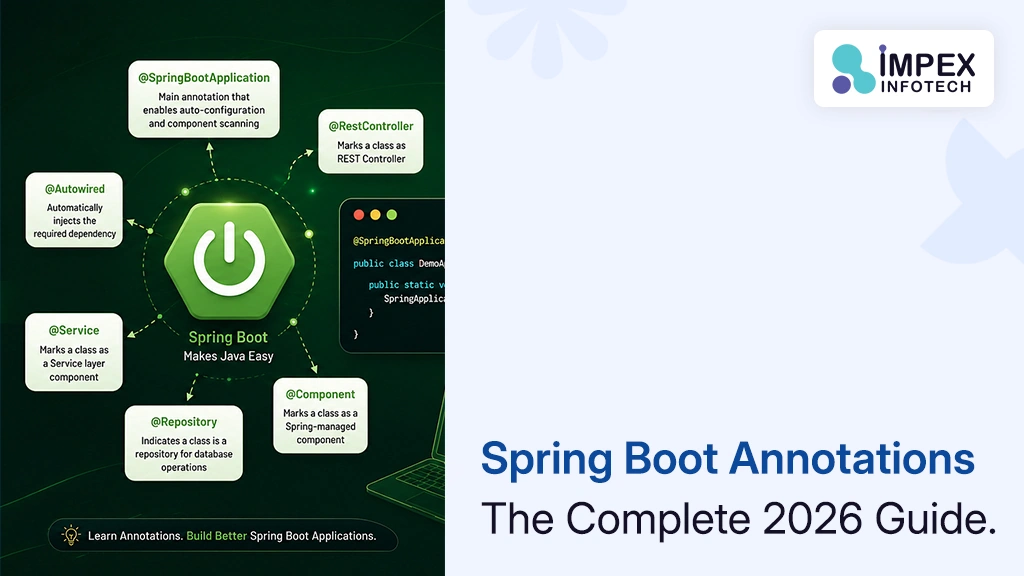
Spring Boot Annotations List With Examples
Spring Boot Annotations: The Complete 2026 Guide With Examples (and How AI Helps You Use Them Correctly) ⏱ 24 min...
Read More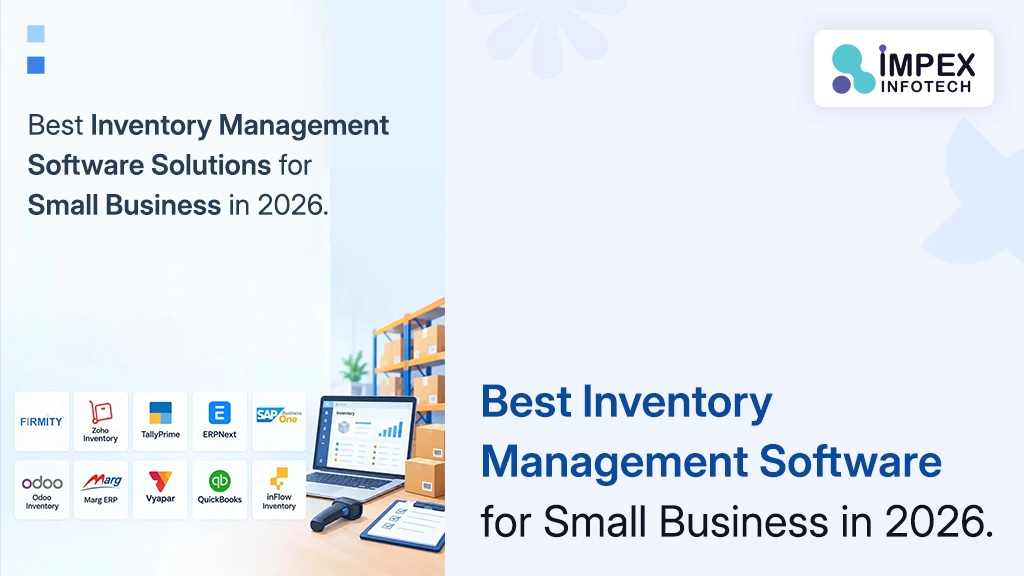
Inventory Management Software Solutions Small Business
Best Inventory Management Software Solutions for Small Business in 2026: Pricing, Features and When to Go Custom (USA & India)...
Read More
Amazon Web Hosting AWS Cloud Computing
Amazon Web Hosting (AWS) in 2026: How Cloud Hosting Works, What It Really Costs and How to Host Your Website...
Read MoreRecent Posts
Spring Boot Annotations List With Examples
Spring Boot Annotations: The Complete 2026 Guide With Examples (and How AI Helps You Use Them Correctly) ⏱ 24 min...
Read More
Inventory Management Software Solutions Small Business
Best Inventory Management Software Solutions for Small Business in 2026: Pricing, Features and When to Go Custom (USA & India)...
Read More
Amazon Web Hosting AWS Cloud Computing
Amazon Web Hosting (AWS) in 2026: How Cloud Hosting Works, What It Really Costs and How to Host Your Website...
Read More