


Amazon Web Hosting (AWS) in 2026: How Cloud Hosting Works, What It Really Costs and How to Host Your Website (USA & India)
Amazon web hosting means running your website on Amazon Web Services (AWS), the cloud computing platform where you rent servers, storage and networking instead of buying hardware. For most small business sites the practical choices are Amazon Lightsail (bundles from $5 a month with a public IPv4 address), S3 + CloudFront or AWS Amplify Hosting for static and JavaScript sites, and EC2 or Elastic Beanstalk for full control. New accounts now get up to $200 in credits on a six-month Free plan, not a 12-month free tier. AWS suits web apps that need to grow; for a simple brochure site, managed hosting is often the easier choice.
🎯 Key Takeaways
- Start with Lightsail for WordPress and small apps; move to EC2, RDS and load balancers only when you have a reason.
- Our illustrative monthly bills run from about $0.50 (static site) to $8.50 (WordPress) and $29.50 (small app with a managed database), before tax.
- Indian accounts are billed by Amazon Web Services India Private Limited in rupees with GST; US customers may see state sales tax.
- AWS secures the infrastructure; patching, firewall rules, backups and data remain your job.
01What Is Cloud Computing, in Plain English?
Cloud computing is renting computing power over the internet, switching it on when you need it and paying only for what you use.
The definition engineers still quote comes from NIST Special Publication 800-145 (September 2011): “a model for enabling ubiquitous, convenient, on-demand network access to a shared pool of configurable computing resources (e.g., networks, servers, storage, applications, and services) that can be rapidly provisioned and released with minimal management effort or service provider interaction.”
NIST names five essential characteristics, and each maps onto hosting. On-demand self-service: you create a server from a console in minutes. Broad network access: everything is reachable over the internet. Resource pooling: the provider shares large hardware pools among customers. Rapid elasticity: you add capacity for a launch and remove it afterwards. Measured service: usage is metered and billed.
It also defines three service models. Infrastructure as a Service (IaaS) gives you virtual servers and networks to configure yourself, such as Amazon EC2. Platform as a Service (PaaS) runs your code on a managed platform, as Elastic Beanstalk and Amplify do. Software as a Service (SaaS) is finished software you log into. Most cloud computing services used for websites are IaaS or PaaS, and that choice decides how much maintenance lands on your desk.
02What Is AWS and What Does Amazon Web Hosting Mean?
Amazon Web Services is Amazon’s cloud computing business, selling hundreds of services, from virtual machines and databases to machine learning, that combine like building blocks. “Amazon web hosting” is not one product: it is running a website or web application on some combination of those blocks.
The scale is real. Amazon’s second-quarter 2026 results, published on 30 July 2026, reported AWS segment sales of $42.2 billion for the quarter, up 37% year over year, and an annualised revenue run rate of $169 billion. That size buys a mature platform with data centres in many countries, but also a console with a learning curve and a bill that is easy to misread.
Think of AWS as a spectrum. At one end, Lightsail feels like a traditional virtual private server with a fixed monthly price. At the other, you assemble instances, load balancers, databases and a CDN yourself, trading simplicity for flexibility. Where your site belongs depends on what it does, not on how big your company is.
All prices come from AWS’s own pricing pages and documentation, checked on 28 October 2026, in US dollars before tax. Where a page states a region we name it, usually US East (N. Virginia). No hands-on benchmark tests were run, and this article is not sponsored by any provider.
03The AWS Hosting Options That Matter for Websites
Out of the long AWS catalogue, eight services cover nearly every small or mid-sized website.
1. Amazon Lightsail: the simplest way to host a website on AWS
Lightsail packages a virtual server, SSD storage, a data transfer allowance and a static IP option into one monthly price, with ready-made blueprints for WordPress and other applications. It is the closest AWS gets to conventional VPS hosting, and where most small businesses should start.
- Best for: WordPress, small business websites, PHP and Node.js apps, staging servers.
- Pricing basis: billed hourly up to a monthly cap. Linux bundles with a public IPv4 address cost $5 (0.5 GB RAM, 2 vCPUs, 20 GB SSD, 1 TB transfer), $7 (1 GB, 40 GB, 2 TB), $12 (2 GB, 60 GB, 3 TB) and $24 (4 GB, 80 GB, 4 TB) a month. IPv6-only bundles start at $3.50.
- Watch for: plans in Asia Pacific (Mumbai) and several other regions include half the listed transfer allowance. Stopped instances keep billing until deleted. Static IPs are free while attached and charged when unattached.
The “$3.50 AWS hosting” figure seen online is Lightsail’s IPv6-only bundle, not EC2. Without public IPv4 some visitors cannot reach the site directly, so budget from $5 or $7.
2. Amazon S3 + CloudFront: static sites at the edge
If your site is only HTML, CSS, JavaScript and images, you can store the files in an S3 bucket and serve them worldwide through CloudFront, AWS’s content delivery network. There is no server to patch.
- Best for: brochure sites, landing pages, documentation, static-generator sites.
- Pricing basis: since November 2025 CloudFront offers flat-rate plans per distribution: Free at $0 (1 million requests, 100 GB transfer and 5 GB of S3 storage credit a month), Pro at $15 (10 million requests, 50 TB), Business at $200 and Premium at $1,000, with “no overage charges”. Pay-as-you-go pricing remains; see the CloudFront pricing page. Transfer from S3 to CloudFront is free.
- Watch for: contact forms need a third-party service or a small serverless function.
3. AWS Amplify Hosting: Git-based deploys for modern front ends
Amplify Hosting connects to your Git repository, builds on every push and serves the result through AWS’s CDN, much like Vercel or Netlify, including server-side rendered frameworks such as Next.js.
- Best for: React, Vue and Next.js front ends with per-branch previews.
- Pricing basis: standard builds $0.01 per minute, storage $0.023 per GB-month, transfer out $0.15 per GB, and SSR $0.30 per million requests plus $0.20 per GB-hour. The page lists a 12-month free allowance (1,000 build minutes, 5 GB stored, 15 GB served monthly) and notes new customers since July 2025 may use Free Tier credits instead.
- Watch for: at $0.15 per GB, heavy traffic costs more than on a CloudFront flat-rate plan.
4. Amazon EC2: full control, full responsibility
EC2 gives you virtual machines of almost any size, with any operating system and software.
- Best for: custom web applications and stacks that need specific CPU, memory or networking.
- Pricing basis: per instance type and region. A t3.micro (2 vCPUs, 1 GB RAM) costs $0.0104 an hour on demand for Linux in US East (N. Virginia): $0.0104 × 730 hours ≈ $7.59 a month. Each public IPv4 address adds $0.005 an hour (≈ $3.65 a month, charged since February 2024), plus EBS storage and data transfer at their published rates.
- Watch for: EC2 is billed component by component, so the instance price is never the whole bill.
5. AWS Elastic Beanstalk: EC2 with the plumbing done for you
Elastic Beanstalk takes your code (PHP, Node.js, Python, Java, .NET and others) and provisions the EC2 instances, load balancer and auto scaling behind it. “There is no additional charge for AWS Elastic Beanstalk”; you pay for the resources it creates. Check what the wizard builds, because a load-balanced environment costs far more than one small server.
6. Databases: Amazon RDS and Lightsail managed databases
A managed database handles backups, patching and optional standby copies. Lightsail managed databases cost $15 a month (1 GB RAM, 40 GB SSD), $30 (2 GB, 80 GB, encrypted) and up, with high-availability versions at double the price; new Lightsail customers get one month of the $15 plan free. Amazon RDS is the full-featured service, priced by instance class, storage and backups per region; see the RDS pricing page. Use one for anything with customer accounts, orders or bookings.
7. Amazon Route 53: DNS for your domain
Route 53 costs $0.50 per hosted zone per month for the first 25 zones and $0.40 per million standard queries; alias queries to CloudFront and load balancers are free. Domain registration prices vary by TLD. Your registrar’s DNS works fine too; our guide on connecting a domain to hosting for WordPress covers the records either way.
8. AWS Certificate Manager: free HTTPS, with a catch
ACM issues public certificates “at no cost for use with services integrated with ACM”, such as CloudFront and Elastic Load Balancing. You cannot simply install a standard ACM certificate on a bare EC2 instance. Put a load balancer or CloudFront in front, buy ACM’s exportable certificates ($7 per domain name, $79 per wildcard), or use Let’s Encrypt on the server, which Lightsail’s WordPress setup does for you.
04AWS Hosting Options Compared
“Who manages servers” is the column that predicts your maintenance workload.
| Option | Best for | Skill needed | Starting cost basis | Who manages servers |
|---|---|---|---|---|
| Lightsail | WordPress, small business sites, small apps | Low to moderate | $5/month with IPv4 ($3.50 IPv6-only) | You (OS and app updates), on AWS hardware |
| S3 + CloudFront | Static brochure and landing sites | Moderate | CloudFront Free flat-rate plan $0; Pro $15 | AWS (no server) |
| Amplify Hosting | React, Vue, Next.js front ends | Moderate (Git) | $0.01/build minute, $0.15/GB served | AWS |
| EC2 | Custom apps, special stacks | High | t3.micro $0.0104/hour (≈ $7.59/month, US East) + IPv4 + storage | You |
| Elastic Beanstalk | Apps needing scaling without hand-built infrastructure | Moderate to high | No extra charge; pay for resources | Shared: AWS platform, you configure |
| RDS / Lightsail DB | Data you cannot lose | Moderate | Lightsail DB $15/month; RDS per instance class | AWS (engine patching, backups) |
| Route 53 | DNS | Low | $0.50 per hosted zone/month | AWS |
| ACM | HTTPS on CloudFront and load balancers | Low | Free with integrated services | AWS (auto-renewal) |
05The AWS Free Tier in 2026, Explained Accurately
Many guides still describe a “12-month free tier” with 750 EC2 hours a month. That is the legacy offer. AWS announced a new model on 16 July 2025 for accounts created from 15 July 2025.
- Credits, not hours: $100 in credits at sign-up and up to $100 more for completing activities in the Explore AWS widget on the console home page.
- Two plans: the Free plan limits you to selected services and never charges unless you upgrade. The Paid plan opens all services, applies your credits and bills pay-as-you-go beyond them.
- Duration: the Free plan ends after six months or when credits run out, whichever comes first. AWS then suspends the account, keeps data for 90 days and erases it if you do not upgrade.
- Always free: more than 30 services remain free within monthly limits on both plans; quantities are in the Free Tier terms.
- Lightsail: the old Lightsail trials are no longer offered to new customers; Lightsail usage draws on Free Tier credits instead.
A Free plan account is suspended after six months unless upgraded. Use it for learning and prototypes; for production, choose the Paid plan, let credits offset early bills and set a budget alert on day one.
06What AWS Hosting Really Costs: Three Worked Examples
These figures are illustrative: AWS list prices on 28 October 2026 applied to assumed traffic, excluding tax, domain registration, developer time and Free Tier credits.
Example A: a brochure site on S3 + CloudFront (or Amplify)
Assume ten pages, 300 MB of files and 20,000 page views a month, well inside the CloudFront Free plan’s allowances.
- CloudFront Free flat-rate plan: $0.00, with the 5 GB S3 storage credit covering the files.
- Route 53 hosted zone: $0.50 (included conservatively; flat-rate plans bundle Route 53 DNS, so check whether your zone is covered).
- Total: about $0.50 a month, or $6 a year.
On Amplify outside its free allowance, with 1 GB stored, 30 GB served and twenty 3-minute builds: 1 × $0.023 + 30 × $0.15 + 60 × $0.01 + $0.50 = $0.02 + $4.50 + $0.60 + $0.50 = about $5.62 a month.
Example B: a small business WordPress site on Lightsail
- Lightsail Linux bundle, 1 GB RAM with public IPv4: $7.00.
- Static IP attached: $0.00.
- Automatic snapshots, assuming 20 GB stored: 20 × $0.05 = $1.00.
- Route 53 hosted zone (optional): $0.50.
- Total: about $8.50 a month, or $102 a year. The 2 TB transfer allowance (1 TB in Mumbai) is far beyond what a site with around 15,000 visits a month uses.
Example C: a small web app with a managed database
Assume a booking portal or internal tool used by a few hundred people.
- Lightsail Linux bundle, 2 GB RAM: $12.00.
- Lightsail managed database, $15 plan: $15.00.
- Instance snapshots, 40 GB stored: 40 × $0.05 = $2.00.
- Route 53: $0.50.
- Total: about $29.50 a month, or $354 a year; with the $30 high-availability database, $44.50.
On EC2 the same app starts with a t3.micro at ≈ $7.59 plus ≈ $3.65 for IPv4, before disk, backups and an RDS database, so Lightsail usually wins for small, steady workloads. EC2 wins when you need auto scaling or deeper AWS integration, as growing SaaS applications eventually do.
For an Indian business outside Delhi, add 18% IGST: Example B becomes $8.50 × 1.18 ≈ $10.03 a month, invoiced in rupees. US sales tax depends on your state and the service. Hosting is one running cost among several; see what it costs to maintain an app in 2026.
07Hosting on AWS from India: Regions, INR Billing, GST and Data
If most of your visitors are in India, host in India: lower latency means faster pages, and local billing simplifies accounting.
Mumbai and Hyderabad regions
AWS launched Asia Pacific (Mumbai), ap-south-1, in 2016 and added a third Availability Zone in 2019. Asia Pacific (Hyderabad), ap-south-2, opened on 21 November 2022 with three Availability Zones. Mumbai is enabled by default; Hyderabad is an opt-in region you must enable first. Lightsail plans in Mumbai carry half the listed transfer allowance.
AWS pricing in India: INR invoices and GST
Sign up with an Indian contact and billing address and your agreement is with Amazon Web Services India Private Limited (“AWS India” on AWS’s tax pages, abbreviated AISPL in billing documentation). Invoice totals are listed in rupees, payable by card, invoice or wire transfer. AWS India is based in Delhi, so it charges SGST (9%) plus CGST (9%) to Delhi customers and IGST (18%) elsewhere. Add your GSTIN and PAN under Tax Settings in the Billing console. Indian customers billed by Amazon Web Services, Inc. pay 18% IGST unless they register a GSTIN.
Data residency and the DPDP Act
The Digital Personal Data Protection Act, 2023 governs personal data of people in India; its Rules were notified on 14 November 2025 with an eighteen-month phased compliance period. Section 16 lets the central government restrict transfers to countries it notifies, rather than requiring all data to stay in India, though Significant Data Fiduciaries must follow directions that can include local storage. For most small businesses the low-risk default is to keep Indian customer data in Mumbai or Hyderabad and take legal advice if you handle sensitive data at scale.
08Hosting on AWS in the USA: Regions, Sales Tax and Compliance
US businesses have four general-purpose regions, all enabled by default: US East (N. Virginia) us-east-1, US East (Ohio) us-east-2, US West (N. California) us-west-1 and US West (Oregon) us-west-2. Choose the one nearest your customers; N. Virginia is the oldest and usually the price reference, but not automatically the best choice.
- Sales tax: AWS’s US tax help page lists jurisdictions where Amazon Web Services, Inc. collects sales or transaction tax, noting that “in some states, certain AWS services are subject to sales or other transaction taxes”. Tax location follows the address on your payment method, and exempt organisations can upload certificates. The page was last updated in November 2022, so check your invoice.
- HIPAA: AWS signs a Business Associate Addendum and lists HIPAA-eligible services, but states that “there is no HIPAA certification for a cloud service provider”. Protected health information belongs only in eligible services, and your configuration of access, encryption and logging decides compliance.
If you serve both countries, pick a primary region near most users and put CloudFront in front so visitors on both continents get cached content from nearby edge locations.
09The Shared Responsibility Model: What AWS Does Not Do for You
AWS is responsible for “security of the cloud”, protecting “the infrastructure that runs all of the services offered in the AWS Cloud”. You are responsible for “security in the cloud”, which on EC2 includes “management of the guest operating system (including updates and security patches)”, the security group firewall on each instance, and managing your data “including encryption options”.
On Lightsail or EC2, you patch the operating system, PHP, WordPress, themes and plugins; close unused ports; restrict SSH; and configure and test backups. On S3 + CloudFront or Amplify there is no server, so your share shrinks to access keys, permissions and code.
When small business sites on cloud servers are compromised, the cause is rarely AWS. It is an outdated plugin, a reused admin password or SSH open to the world. Moving from shared hosting to AWS moves the maintenance burden onto you; if nobody owns that job, a WordPress care plan is a better investment than a bigger server.
10Step by Step: Host a WordPress Site on Lightsail
This follows the current Lightsail documentation, which handles static IP, DNS and HTTPS in a guided setup. Allow up to 15 minutes and do not stop the instance meanwhile.
- Create the instance. Choose the region nearest your visitors, Linux/Unix, the WordPress blueprint with Lightsail as provider, and a plan; $7 (1 GB) is a sensible minimum for a business site.
- Attach a static IP in the WordPress setup panel so the address survives restarts. It is free while attached.
- Point your domain. Use a Lightsail-managed DNS zone, or keep DNS at your registrar or Route 53 and create A records for the root and www pointing to the static IP.
- Turn on HTTPS. Select your domains, enter an email address and authorise Lightsail to configure a Let’s Encrypt certificate. AWS says it renews automatically every 60 to 90 days and HTTP redirects to HTTPS.
- Sign in. Use Retrieve default password and CloudShell, then log in at /wp-admin as
user. Change the password, create your own admin account and remove unused plugins. - Lock down the firewall. Keep ports 80 and 443 open; restrict SSH (port 22) to your own IP after setup.
- Enable automatic snapshots and take a manual one before major updates ($0.05 per GB-month).
- Set a budget alert in AWS Budgets slightly above your expected bill, with email alerts at 80% and 100%.
Example registrar records (replace the IP with your static IP):
Type  Name   Value            TTL
A     @      203.0.113.25     3600
A     www    203.0.113.25     3600
If you would rather not run the server yourself, our WordPress development team builds sites for Lightsail or a managed host.
11Keeping the Bill Under Control
Surprise AWS bills usually come from something left running or a misunderstood line item. Four tools prevent most of that.
- AWS Budgets: alerts on actual or forecasted spend to up to 10 email addresses and an SNS topic. Billing data updates at least daily, and forecasts need about five weeks of history.
- CloudWatch billing alarms: enable “Receive CloudWatch Billing Alerts” in Billing preferences, then alarm on the EstimatedCharges metric in US East (N. Virginia), where billing metrics live.
- Cost Explorer: break spending down by service, region and day; check it weekly in month one.
- Tags: tag resources by project or environment and activate them as cost allocation tags so Cost Explorer can group costs.
Also delete what you no longer use: stopped Lightsail instances, unattached static IPs and old snapshots.
12AWS vs the Alternatives
AWS is one good answer, not the only one.
| Option | Strengths | Trade-offs | When it fits |
|---|---|---|---|
| Shared hosting | Cheapest, control panel, email often included | Shared resources, limited control, variable performance | Small brochure sites and blogs with low traffic |
| Managed WordPress hosts | Updates, backups, caching and support handled for you | Higher price per site, plugin and server restrictions | Business WordPress sites without in-house technical staff |
| AWS | Widest service range, India and US regions, scales from Lightsail to large architectures | Learning curve, component billing, you own security in the cloud | Web apps, SaaS, sites that will grow or integrate with other AWS services |
| DigitalOcean | Simple droplets: $4 (512 MiB), $6 (1 GiB), $12 (2 GiB) a month, with outbound transfer included | Smaller service catalogue than AWS | Developers who want a straightforward VPS |
| Google Cloud | Strong data, analytics and AI services | Similar complexity to AWS | Teams already using Google’s data or AI tools |
| Microsoft Azure | Integration with Microsoft 365, .NET and Microsoft identity tools | Similar complexity to AWS | Businesses standardised on Microsoft |
| Vercel / Netlify | Git-based deploys and previews for front-end frameworks | Vercel’s free Hobby plan is for non-commercial personal use only; Pro is $20 per developer seat a month plus usage | Next.js and Jamstack front ends |
At the low end Lightsail and DigitalOcean are close on price; Lightsail’s advantage is the path into the rest of AWS. For front-end projects, see our guide to deploying on Vercel with GitHub.
13When NOT to Use AWS
We build on AWS regularly and still advise many clients against it. It is probably the wrong choice when:
- Nobody will maintain the server. A Lightsail WordPress instance needs someone applying updates and watching backups.
- You want mailboxes in the same plan. Lightsail does not bundle email the way shared hosts do.
- The site is a five-page brochure and you are not technical; a good managed host with support is simpler.
- You need a fixed invoice. Lightsail and CloudFront flat-rate plans help, but most AWS services meter usage.
- You are on Shopify or another hosted platform, which already hosts the store.
Unsure what you are building? Our comparison of a web portal versus a website and our guide to website build costs help frame the decision.
14Reliability: What the October 2025 Outage Teaches
AWS’s own post-event summary describes a disruption in US East (N. Virginia) from 11:48 PM PDT on 19 October to 2:20 PM PDT on 20 October 2025. A latent race condition in DynamoDB’s automated DNS management left its regional endpoint with an empty DNS record. DynamoDB errors lasted about three hours, but knock-on effects disrupted new EC2 launches, Network Load Balancer connections, Lambda and other services for much of the day. AWS says it disabled the automation worldwide pending fixes.
- Existing EC2 instances kept running; launching new capacity was the problem. Simple architectures often ride out incidents better.
- Use multiple Availability Zones for anything that earns money: a high-availability database and two instances behind a load balancer.
- Keep off-site backups and a tested restore plan, ideally in another region.
15Common Mistakes First-Time AWS Users Make
Billing
Security
Architecture
Operations
16How Impex Infotech Fits In
Impex Infotech is a web, app and AI development company in Rajkot, Gujarat and Marayong, NSW, working with clients in India, Australia, the USA and Canada. We are not an AWS reseller. We build and maintain websites and web applications, and set up hosting and deployment as part of those projects, on AWS when it fits and elsewhere when it does not: business sites through web development with domains and hosting via our domain name and hosting service, and portals and SaaS products through web application development. See our portfolio or start at the Impex Infotech homepage.
17Frequently Asked Questions
What is Amazon web hosting?
Running a website or web application on Amazon Web Services. Small sites usually use Lightsail or S3 with CloudFront; larger apps combine EC2, a managed database, a load balancer and CloudFront.
Is AWS hosting free?
Not indefinitely. New accounts since 15 July 2025 get up to $200 in credits. A Free plan account ends after six months or when credits run out; on the Paid plan, normal billing follows the credits.
How much does it cost to host a website on AWS per month?
In our illustrations, about $0.50 for a static site, $8.50 for WordPress on a $7 Lightsail plan and $29.50 for a small app with a managed database, before tax.
Is AWS Lightsail good for WordPress?
Yes, if someone is comfortable maintaining a server. Setup is guided and the price fixed, but updates, security and backups remain yours.
How is AWS billed in India?
Accounts with an Indian address contract with Amazon Web Services India Private Limited, get invoices totalled in rupees and pay GST: 9% CGST plus 9% SGST in Delhi, or 18% IGST elsewhere.
Which AWS region should I choose for India or the USA?
Mumbai for Indian visitors (Hyderabad requires opt-in); for US visitors, whichever of N. Virginia, Ohio, N. California or Oregon is closest. Add CloudFront if you serve both.
Can I use a free AWS SSL certificate on EC2?
Not directly. Free ACM certificates work with integrated services such as CloudFront and load balancers. For a single instance, use Let’s Encrypt or put CloudFront or a load balancer in front.
Is AWS better than shared hosting?
More powerful, not automatically better. For a small site with nobody to maintain a server, shared or managed hosting is often the smarter business decision.
Not sure whether your site belongs on AWS?
Impex Infotech will give you a straight recommendation, whether Lightsail, a static setup, a managed host or a full cloud architecture, then build and deploy it for you.
Get a Free Consultation →18References
- NIST, SP 800-145: The NIST Definition of Cloud Computing (Mell and Grance, September 2011). Cloud computing definition, five characteristics, service models (section 01).
- Amazon, Amazon.com Announces Second Quarter Results (30 July 2026). AWS segment sales, growth and run rate (section 02).
- AWS, Amazon Lightsail pricing (checked 28 Oct 2026). Bundle prices, managed databases, snapshots, transfer allowances and regional halving (sections 03, 06).
- AWS Documentation, Lightsail billing and account management FAQ and Static IP addresses in Lightsail. Hourly billing cap, stopped-instance charges, trial withdrawal, free database month, static IP charges (sections 03, 05).
- AWS, Amazon CloudFront pricing (checked 28 Oct 2026), CloudFront flat-rate pricing plans and Introducing flat-rate pricing plans with no overages (18 Nov 2025). Plan prices, allowances, bundled features (sections 03, 06).
- AWS, Amazon S3 pricing (checked 28 Oct 2026). Free data transfer from S3 to CloudFront (section 03).
- AWS, AWS Amplify pricing (checked 28 Oct 2026). Build, storage, transfer and SSR rates; free allowance (sections 03, 06).
- AWS, Amazon EC2 T3 instances (checked 28 Oct 2026). t3.micro on-demand price, Linux, US East (N. Virginia) (sections 03, 06).
- AWS News Blog, New AWS public IPv4 address charge. $0.005 per IP per hour from 1 February 2024 (sections 03, 06).
- AWS, AWS Elastic Beanstalk pricing (checked 28 Oct 2026). No additional charge (section 03).
- AWS, Amazon Route 53 pricing (checked 28 Oct 2026). Hosted zone, query and alias pricing (sections 03, 06).
- AWS, AWS Certificate Manager pricing (checked 28 Oct 2026). Free public certificates with integrated services; exportable certificate prices (section 03).
- AWS, AWS Free Tier, AWS Free Tier FAQs and AWS Free Tier now offers $200 in credits and 6-month free plan (16 Jul 2025). Credits, plans, duration, suspension and data retention (section 05).
- AWS News Blog, Now Open: the 30th AWS Region, Asia Pacific (Hyderabad) (21 Nov 2022). Hyderabad and Mumbai history and Availability Zones (section 07).
- AWS Documentation, AWS Regions. Region codes and opt-in status for US and India regions (sections 07, 08).
- AWS, Tax help: India (last updated March 2026). AWS India entity, CGST/SGST/IGST treatment, GSTIN (section 07).
- AWS Billing documentation, Managing your payments in India (AISPL). India accounts, rupee invoice totals, payment methods, PAN and GST settings (section 07).
- DPDPA.com, Digital Personal Data Protection Act, 2023, section 16, and Press Information Bureau, DPDP Rules, 2025 explainer (17 Nov 2025). Cross-border transfer provision, Rules notification, phased compliance (section 07).
- AWS, Tax help: United States (last updated 7 Nov 2022). Sales tax collection, tax location, exemptions (section 08).
- AWS, HIPAA Compliance. BAA, eligible services, no CSP certification (section 08).
- AWS, Shared Responsibility Model. Security of and in the cloud (section 09).
- AWS Documentation, Launch and configure a WordPress instance on Lightsail. Blueprint, static IP, DNS, Let’s Encrypt HTTPS, default login (section 10).
- AWS Documentation, Best practices for AWS Budgets and Monitor your estimated charges using CloudWatch. Alerts, update frequency, forecasts, billing alarms (section 11).
- DigitalOcean, Droplet pricing (checked 28 Oct 2026), and Vercel, Hobby plan (checked 28 Oct 2026). Alternative pricing and plan terms (section 12).
- AWS, Summary of the Amazon DynamoDB Service Disruption in the Northern Virginia (US-EAST-1) Region. Timeline, root cause and remediation of the October 2025 event (section 14).
Recent Posts
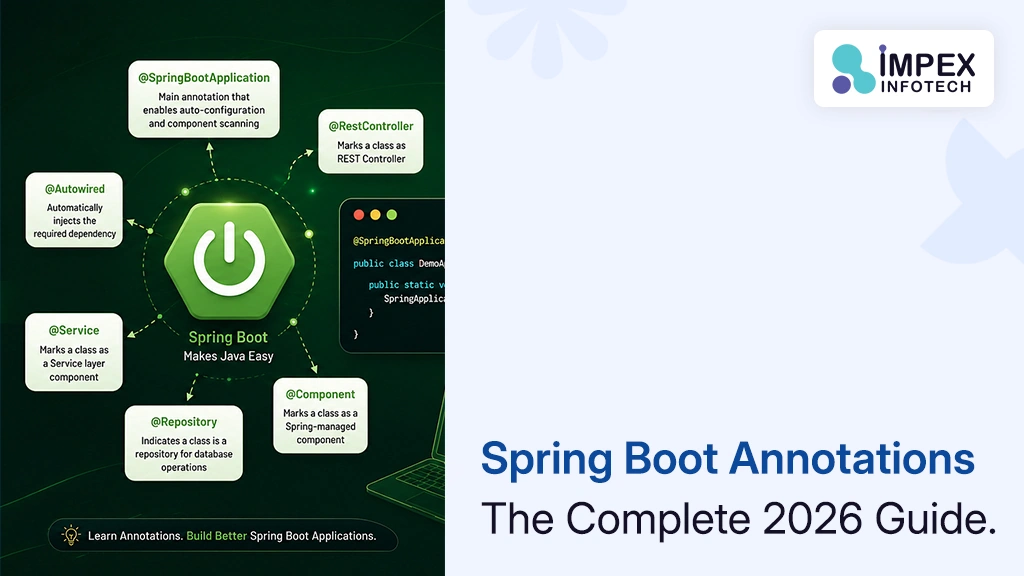
Spring Boot Annotations List With Examples
Spring Boot Annotations: The Complete 2026 Guide With Examples (and How AI Helps You Use Them Correctly) ⏱ 24 min...
Read More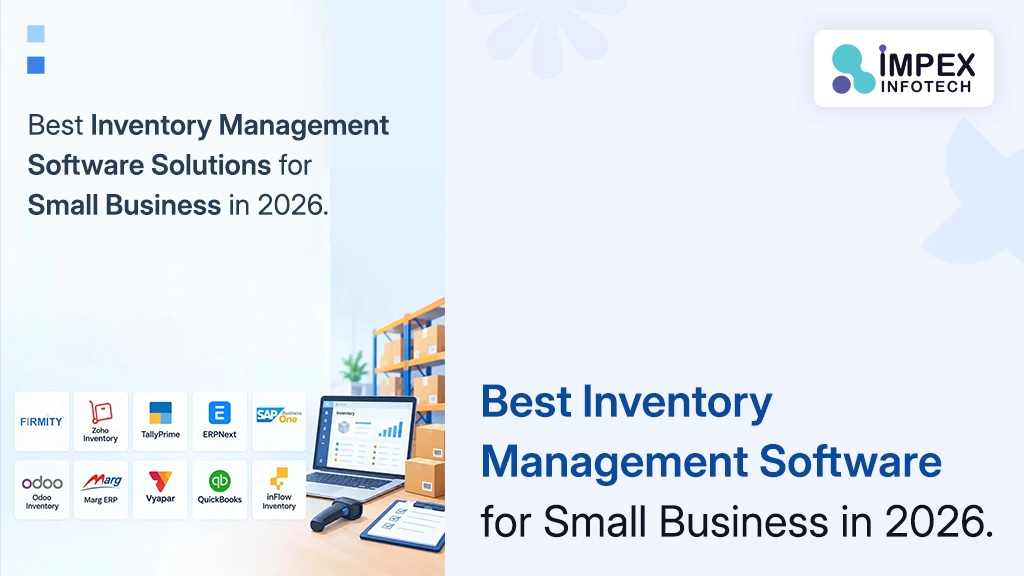
Inventory Management Software Solutions Small Business
Best Inventory Management Software Solutions for Small Business in 2026: Pricing, Features and When to Go Custom (USA & India)...
Read More
Amazon Web Hosting AWS Cloud Computing
Amazon Web Hosting (AWS) in 2026: How Cloud Hosting Works, What It Really Costs and How to Host Your Website...
Read MoreRecent Posts
Spring Boot Annotations List With Examples
Spring Boot Annotations: The Complete 2026 Guide With Examples (and How AI Helps You Use Them Correctly) ⏱ 24 min...
Read More
Inventory Management Software Solutions Small Business
Best Inventory Management Software Solutions for Small Business in 2026: Pricing, Features and When to Go Custom (USA & India)...
Read More
Amazon Web Hosting AWS Cloud Computing
Amazon Web Hosting (AWS) in 2026: How Cloud Hosting Works, What It Really Costs and How to Host Your Website...
Read More