

15 Best Mac Apps for Developers in 2026 – AI-Powered Tools, Free IDEs & Productivity Essentials

⚡ Quick Answer
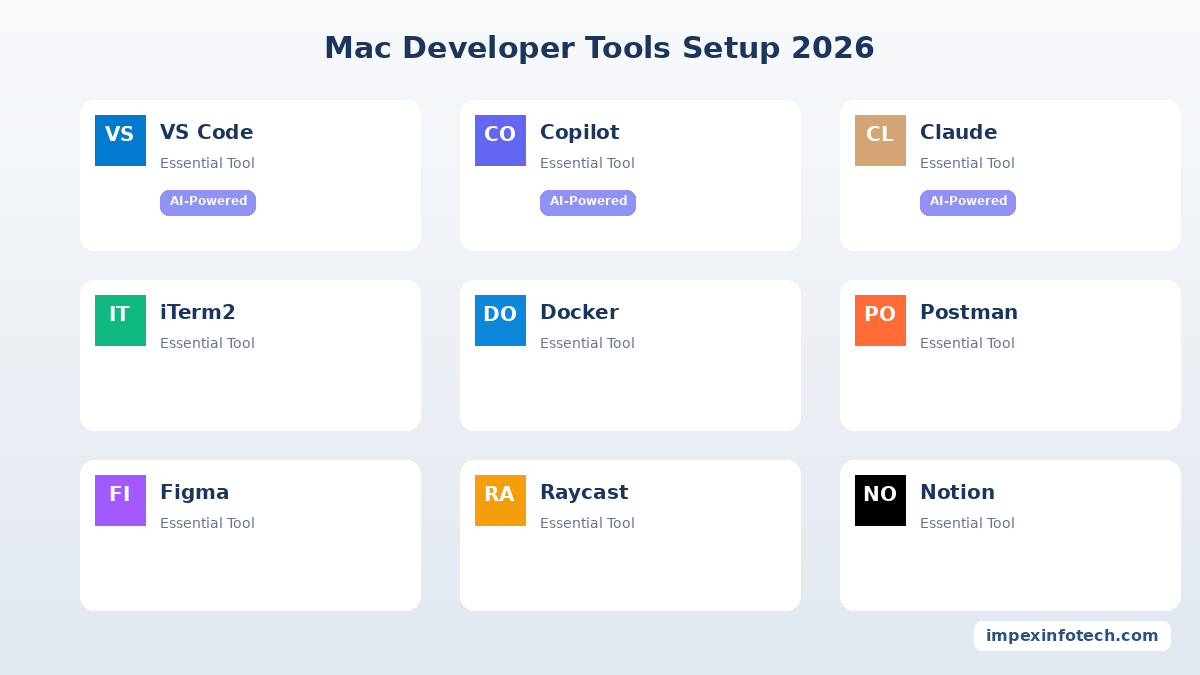
The 15 best Mac apps for developers in 2026 are: VS Code, GitHub Copilot, Claude for Desktop, Cursor IDE, iTerm2, Postman, Tower, Docker Desktop, TablePlus, Raycast, Figma, Warp Terminal, Homebrew, Xcode, and Notion. The biggest shift in 2026 is that AI coding tools (Copilot, Claude, Cursor) have become as essential as code editors and terminals. This list is curated by Impex Infotech‘s senior PHP, web, and mobile development team based on 15+ years of real-world project experience.
🎯 Key Takeaways
- AI coding tools are the biggest new category in 2026 — GitHub Copilot, Claude, and Cursor IDE now save developers 30–50% coding time.
- VS Code remains the #1 code editor, but Cursor IDE is the fastest-growing AI-native alternative.
- iTerm2 + Warp gives you the best of both worlds — power user features + AI-assisted terminal commands.
- Every tool on this list has been personally tested and used by Impex Infotech‘s development team across 1,000+ real projects.
- The list covers web developers (PHP, Laravel, React, WordPress), iOS/Android developers, and full-stack engineers.
Your Mac is only as powerful as the tools you put on it. Whether you’re building PHP web applications, designing responsive websites, or developing mobile apps, the right set of Mac tools can cut your development time in half.
At Impex Infotech, our developers have shipped 1,000+ projects over 15 years — and we’ve tested hundreds of Mac apps along the way. This guide shares the 15 tools our team actually uses every day in 2026, categorised by workflow.
Quick Comparison: All 15 Mac Developer Apps
| # | App | Category | Price | Best For | AI Powered? |
|---|---|---|---|---|---|
| 1 | VS Code | Code Editor | Free | All developers | Via extensions |
| 2 | GitHub Copilot | AI Coding | $10/mo | Code generation | ✅ Yes |
| 3 | Claude for Desktop | AI Assistant | Free / Pro | Code review, debugging | ✅ Yes |
| 4 | Cursor IDE | AI IDE | Free / $20/mo | AI-native coding | ✅ Yes |
| 5 | iTerm2 | Terminal | Free | Power users | No |
| 6 | Postman | API Testing | Freemium | REST/GraphQL APIs | ✅ AI docs |
| 7 | Tower | Git Client | $69/yr | Visual Git management | No |
| 8 | Docker Desktop | DevOps | Free / Paid | Containerisation | ✅ AI assist |
| 9 | TablePlus | Database GUI | $89 license | MySQL, PostgreSQL, Redis | No |
| 10 | Raycast | Productivity | Free / Pro | Launcher + AI assistant | ✅ Yes |
| 11 | Figma | Design | Freemium | UI/UX design | ✅ AI features |
| 12 | Warp | Terminal | Free / Teams | AI-powered terminal | ✅ Yes |
| 13 | Homebrew | Package Mgr | Free | macOS packages | No |
| 14 | Xcode | IDE | Free | iOS/macOS native dev | ✅ Predictive |
| 15 | Notion | Project Mgmt | Freemium | Docs, wikis, tasks | ✅ AI writer |
Code Editors & IDEs
1. Visual Studio Code (VS Code) FREE ESSENTIAL
VS Code by Microsoft is the undisputed king of code editors in 2026. With 50,000+ extensions, built-in Git, integrated terminal, and support for every language imaginable, it’s the first app every developer installs. Our PHP development team uses VS Code with Laravel-specific extensions (Laravel Extra Intellisense, Blade Snippets, PHP Intelephense) daily.
Key features: IntelliSense, multi-cursor editing, built-in debugger, extension marketplace, remote SSH development, GitHub Copilot integration.
14. Xcode FREE
Apple’s official IDE for iOS, macOS, watchOS, and tvOS development. Xcode 16 (2026) includes Swift 6 support, predictive code completion powered by Apple’s on-device ML model, and improved SwiftUI previews. Even if you’re not an iOS developer, you need Xcode Command Line Tools for Homebrew and Git on macOS. Our iPhone app development team relies on Xcode’s Instruments profiler and Simulator daily.
AI Coding Tools — The Biggest Shift in 2026
If you’re a developer in 2026 and you’re not using AI coding tools, you’re leaving 30–50% productivity on the table. At Impex Infotech, our team has integrated AI across every stage of development — and these three tools are our daily drivers.
2. GitHub Copilot AI-POWERED
GitHub Copilot is the most widely adopted AI coding assistant in 2026. Powered by OpenAI’s models, it provides inline code suggestions directly in VS Code, JetBrains, and Neovim. It excels at writing boilerplate PHP functions, generating Laravel Eloquent queries, writing unit tests, and explaining complex code. Our developers estimate it saves 25–40 minutes per day on repetitive coding tasks.
Price: $10/month individual · $19/month business · Free for students & OSS maintainers.
3. Claude for Desktop AI-POWERED
Anthropic’s Claude for Desktop is a powerhouse for code review, debugging, architecture decisions, and writing documentation. Unlike inline code assistants, Claude excels at longer-form reasoning — explaining why your Laravel migration fails, reviewing a 500-line pull request, or drafting technical specs. Our team uses Claude for every code review before pushing to production.
Price: Free tier available · Claude Pro $20/month.
4. Cursor IDE AI-POWERED RISING STAR
Cursor is a VS Code fork rebuilt from the ground up with AI at its core. It offers AI chat within the editor, codebase-aware suggestions (it understands your entire project, not just the open file), and one-click code generation from natural language prompts. It’s the fastest-growing developer tool of 2025–2026 and increasingly used for PHP, React, and full-stack projects at Impex Infotech.
Price: Free (Hobby) · $20/month (Pro) · $40/month (Business).
Terminal & CLI Tools
5. iTerm2 FREE ESSENTIAL
iTerm2 is the gold standard terminal emulator for macOS. Split panes, search, profiles, Tmux integration, and hotkey windows make it indispensable for developers who live in the terminal. Our web development team uses iTerm2 with Oh My Zsh and Powerlevel10k for a blazing-fast terminal experience.
12. Warp FREEMIUM AI-POWERED
Warp is a modern, GPU-accelerated terminal with built-in AI. You can describe what you want in natural language (e.g., “find all PHP files modified in the last 7 days”) and Warp generates the exact shell command. It also features block-based output, team sharing of commands, and beautiful themes. Great for developers who aren’t CLI experts yet.
13. Homebrew FREE ESSENTIAL
Homebrew is the missing package manager for macOS. Every developer needs it to install PHP, Node.js, Python, MySQL, Redis, Composer, and hundreds of other tools with one command (brew install php). If your Mac doesn’t have Homebrew, install it before anything else.
API Testing & Database
6. Postman FREEMIUM AI DOCS
Postman remains the most popular API development platform in 2026. Build, test, and document REST and GraphQL APIs with an intuitive GUI. The 2026 version includes AI-powered API documentation generation and smart test suggestions. Our PHP and web application teams use Postman for every API project.
9. TablePlus $89
TablePlus is the best native database GUI for Mac, supporting MySQL, PostgreSQL, SQLite, Redis, MongoDB, and more. Clean UI, fast performance, inline editing, and dark mode make it far superior to phpMyAdmin or Sequel Pro. Essential for anyone doing PHP/MySQL development.
Git & DevOps
7. Tower $69/yr
Tower is the most powerful visual Git client for macOS. Interactive rebase, drag-and-drop cherry picking, pull request management, and conflict resolution are beautifully handled. Our team at Impex Infotech uses Tower for client projects with complex branching strategies.
8. Docker Desktop FREEMIUM AI ASSIST
Docker Desktop lets you build, ship, and run containerised applications on your Mac. Essential for replicating production environments locally — PHP 8.3 + MySQL + Redis + Nginx in one docker-compose up command. Docker’s 2026 AI assistant helps generate Dockerfiles and troubleshoot container issues. Used across every web development project at Impex Infotech.
Design & Productivity
10. Raycast FREEMIUM AI-POWERED
Raycast replaces macOS Spotlight with a supercharged launcher. Search files, run scripts, manage clipboard history, control Spotify, and integrate with GitHub, Jira, Notion, Slack, and Figma — all from one keyboard shortcut (⌘ + Space). Raycast AI lets you chat with an AI assistant inline. It’s the single biggest productivity boost on this entire list.
11. Figma FREEMIUM
Figma is the standard for UI/UX design and developer-designer collaboration. Our web design team creates every wireframe, prototype, and design system in Figma. Dev Mode lets developers inspect designs and copy CSS directly — eliminating design-to-code friction.
15. Notion FREEMIUM AI WRITER
Notion is our documentation, project management, and wiki hub at Impex Infotech. We use it to document project requirements, write technical specs, track tasks, and maintain internal knowledge bases. Notion AI now writes drafts, summarises meeting notes, and generates action items automatically.
What Tools Does the Impex Infotech Team Use Daily?
At Impex Infotech, our team has been building websites, web applications, and mobile apps on macOS for over 15 years. Here’s the exact stack our developers use across PHP, WordPress, Shopify, and mobile app projects:
| Category | Tool(s) We Use | Why |
|---|---|---|
| Code Editor | VS Code + Cursor | AI-assisted coding with Laravel/PHP extensions |
| AI Assistant | GitHub Copilot + Claude | Code generation, review, and debugging |
| Terminal | iTerm2 + Oh My Zsh | Split panes, profiles, fast navigation |
| API Testing | Postman | REST API testing for all backend projects |
| Database | TablePlus | MySQL, PostgreSQL management |
| Git Client | Tower + GitHub Desktop | Complex branching, PR management |
| Containers | Docker Desktop | Local dev environments matching production |
| Design | Figma | All UI/UX design and prototyping |
| Launcher | Raycast | Productivity boost, AI inline chat |
| Package Manager | Homebrew | PHP, Node.js, MySQL, Redis installs |
| Documentation | Notion | Project specs, wikis, task tracking |
| SEO Analysis | Ahrefs + SEMrush | For our SEO services |
🎓 Expert Insight from Impex Infotech
“The biggest change in our workflow over the past year has been AI tools. GitHub Copilot handles 40% of our boilerplate PHP code. Claude helps us review complex pull requests before merging. And Cursor IDE is quickly becoming our default editor for new projects. We estimate these AI tools have reduced our average project delivery time by 25–30% — which directly benefits our clients across India, Australia, and the USA.” — Impex Infotech Engineering Team
How to Build Your Mac Developer Setup in 2026
Don’t install everything at once. Follow this priority order:
- Foundations first — Homebrew → VS Code (or Cursor) → iTerm2 → Git
- AI tools next — GitHub Copilot → Claude for Desktop → Raycast AI
- Stack-specific tools — Docker → Postman → TablePlus (for backend); Figma (for frontend/design)
- Productivity layer — Notion → Tower → Warp (if you prefer AI-assisted terminal)
- Platform-specific — Xcode (iOS/macOS developers only)
brew bundle to create a Brewfile that installs your entire dev setup with one command. Our team maintains a shared Brewfile that onboards new developers in under 30 minutes. Need help setting up a PHP dev environment? Our team can help.
🚀 Need Expert Developers Who Use These Tools Daily?
Impex Infotech’s 15+ year team builds web apps, mobile apps, and enterprise platforms using the tools in this guide. Get a free project consultation today.
Get a Free Quote →Frequently Asked Questions
Q1. What are the best Mac apps for developers in 2026?
VS Code, GitHub Copilot, Claude for Desktop, Cursor IDE, iTerm2, Postman, Tower, Docker Desktop, TablePlus, Raycast, Figma, Warp Terminal, Homebrew, Xcode, and Notion. AI tools are the biggest new addition.
Q2. What is the best free code editor for Mac?
VS Code is the best free code editor. It supports every language, has 50,000+ extensions, built-in Git, and integrates with AI tools like GitHub Copilot.
Q3. What AI coding tools work on Mac?
GitHub Copilot ($10/mo), Claude for Desktop (free/Pro), Cursor IDE (free/$20/mo), Amazon CodeWhisperer (free), Codeium (free), and Continue.dev (free, open-source).
Q4. Is Xcode still necessary for Mac developers?
Yes, for native iOS/macOS development. Even web developers need Xcode Command Line Tools for Homebrew and Git on macOS.
Q5. What is the best terminal app for Mac?
iTerm2 for power users (free), Warp for AI-assisted terminal (free), and Alacritty for GPU-accelerated performance (free, open-source).
Q6. What Mac apps do PHP developers need?
VS Code with PHP Intelephense, Homebrew (to install PHP, Composer, MySQL), iTerm2, Postman, TablePlus, Docker Desktop, and GitHub Copilot for AI-assisted PHP coding.
📚 References
- Apple Developer – Xcode 16 Documentation – developer.apple.com
- GitHub – GitHub Copilot Features – github.com
- Stack Overflow – 2025 Developer Survey – stackoverflow.co
- Docker – Docker Desktop for Mac – docker.com
- Homebrew – The Missing Package Manager for macOS – brew.sh
Recent Posts
How to Deploy Projects on Vercel with GitHub: A Beginner’s Guide
How to Deploy Projects on Vercel with GitHub: A Beginner's Guide ⏱ 16 min read · Includes a section on...
Read More
How to Use AI for Social Media Marketing to Boost Engagement
How to Use AI for Social Media Marketing to Boost Engagement ⏱ 15 min read · Includes a step-by-step section...
Read More
SEO vs AEO vs GEO 2026 Does Your Business Need All Three
SEO vs AEO vs GEO in 2026: What Do They Mean and Does Your Business Need All Three? A plain...
Read MoreRecent Posts
How to Deploy Projects on Vercel with GitHub: A Beginner’s Guide
How to Deploy Projects on Vercel with GitHub: A Beginner's Guide ⏱ 16 min read · Includes a section on...
Read More
How to Use AI for Social Media Marketing to Boost Engagement
How to Use AI for Social Media Marketing to Boost Engagement ⏱ 15 min read · Includes a step-by-step section...
Read More
SEO vs AEO vs GEO 2026 Does Your Business Need All Three
SEO vs AEO vs GEO in 2026: What Do They Mean and Does Your Business Need All Three? A plain...
Read More