

Best AI Agents for Business in 2026: 10 Platforms Compared (Plus When to Build Your Own)

The best AI agent for your business depends on where your work and data already live. For general knowledge work, ChatGPT Business and Claude Team both start at $20 per user per month billed annually, while Microsoft Copilot Studio and Gemini Enterprise suit companies standardised on Microsoft or Google. For sales and service, Salesforce Agentforce, HubSpot’s Breeze agents and Intercom Fin work inside your CRM or helpdesk. For automating work across many apps, look at Zapier Agents, n8n and Lindy. Build your own only when the workflow is core to your business, depends on internal systems, or has requirements no product meets.
🎯 Key Takeaways
- Choose by category first (general assistant, CRM/service, workflow automation or custom build), then by the software you already pay for.
- Scaling is still the exception: in McKinsey’s 2026 State of AI survey, about two in ten respondents said their organisation had reached the scaling phase with AI agents.
- Gartner predicts over 40% of agentic AI projects will be cancelled by the end of 2027. A tight pilot with clear success criteria is the best protection.
- Pricing models differ widely (seats, credits, conversations, outcomes, executions), so price against your real volume.
- Approvals, audit logs and retention controls often sit on higher tiers. Check them before you sign.
01What an AI Agent Does for a Business
A chatbot answers. An agent acts. Give it a goal such as “triage this morning’s support tickets” and it plans the steps, uses connected tools, and either finishes the job or stops to ask for approval.
That makes buying an agent a bigger decision than buying a chatbot: it needs access to your systems, permission to act, and rules for when a person steps in. For background, see our explainers on what AI agents are and the seven types of AI agents. This guide assumes the basics and focuses on choosing a platform.
Most businesses are still early. McKinsey’s 2026 State of AI survey of 1,719 respondents found that about two in ten report scaling AI agents across their organisation; among large organisations (over $1 billion in revenue) it was 40%, while smaller organisations stayed flat at 22%. Gartner predicted in June 2025 that over 40% of agentic AI projects will be cancelled by the end of 2027 due to escalating costs, unclear business value or inadequate risk controls, and estimated that only about 130 of the thousands of vendors marketing agentic AI are “real”. The lesson: buy for a specific workflow, measure it, and treat vendor claims as hypotheses.
02How We Compared These Platforms
This is a desk comparison, not a hands-on benchmark. We didn’t run timed tests or score output quality, because results depend heavily on your data and integrations. We read each vendor’s official product, pricing and documentation pages and compared:
- Category and fit: general assistant, CRM or service agent, or workflow automation.
- Connections: which apps, channels and data sources it works with.
- Autonomy and control: schedules and triggers, and whether sensitive steps can require approval.
- Governance: SSO, admin roles, audit logs, retention controls and training on business data.
- Pricing: the billing basis and the lowest published paid entry point.
- Free option: a free tier, trial or self-hosted edition for piloting.
Developer frameworks (OpenAI Agents SDK, Claude Agent SDK, LangGraph, CrewAI) are covered in the build-vs-buy section, because they are building blocks rather than finished products.
Details come from each vendor’s official pages, checked on 9 October 2026, in US dollars unless stated (n8n lists euros). Prices generally exclude taxes such as GST. Agent pricing changes often and several features are in preview, so confirm on the linked pages before buying. This comparison is not sponsored, and no vendor reviewed it.
03All 10 AI Agent Platforms at a Glance
| Platform | Category | Best for | Free option | Pricing model / paid from |
|---|---|---|---|---|
| ChatGPT Business | General-purpose | Shared agents in ChatGPT and Slack | Free individual plan (no workspace agents) | Per user: $20/mo annual ($25 monthly), min. 2; agents use credits |
| Claude Team / Enterprise | General-purpose | Document and analysis work | Free plan (no Cowork) | Per seat: $20/mo annual ($25 monthly), 2–150 seats |
| Microsoft Copilot Studio | General-purpose / builder | Microsoft 365 organisations | Free trial | Credits: $200/mo per 25,000, or pay-as-you-go |
| Google Gemini Enterprise | General-purpose | Google and mixed-SaaS organisations | 30-day trial (Plus) | Per seat; contact sales |
| Salesforce Agentforce | CRM / service | Salesforce customers | Salesforce Foundations ($0) | $500 per 100k Flex Credits or $2/conversation; add-ons $125/user/mo |
| HubSpot Breeze agents | CRM / marketing / service | SMBs on HubSpot | Free CRM (agents not stated) | HubSpot Credits; extra $0.010/credit |
| Intercom Fin | Customer service | High-volume support, any helpdesk | 14-day trial | $0.99 per outcome |
| Zapier Agents | No-code automation | SMBs using many SaaS apps | Yes (400 activities/mo) | $33.33/mo billed annually (1,500 activities) |
| n8n | Workflow automation | Technical teams; self-hosting | Yes (self-hosted Community) | Per execution: €20/mo billed annually |
| Lindy | No-code agent builder | Inbox, meetings and admin | $50 credits for 7 days | Per user: $29.99/mo (3,000 credits) |
04The 10 Best AI Agent Platforms for Business
Grouped by category, not ranked. Within each group, the best choice depends mostly on the software you already use.
1. ChatGPT Business: shared workspace agents
In April 2026 OpenAI introduced workspace agents, a research preview for Business, Enterprise, Edu and Teachers plans. OpenAI calls them an evolution of custom GPTs: shared agents that handle long-running workflows, run on a schedule and can work in Slack. Builders choose which tools and actions an agent can use and can make it ask permission before sensitive steps.
- Strengths: familiar interface; connectors for Microsoft 365, Google Drive, Slack and GitHub; SAML SSO; business data not used for training by default.
- Limitations: still a research preview; SCIM, role-based access and IP allowlisting are Enterprise-only; agents use credits on top of seats (credit pricing began 6 May 2026).
- Pricing: $20 per user per month billed annually or $25 monthly, minimum two users; Enterprise is custom.
- Choose it if: your team already lives in ChatGPT and wants shared agents in ChatGPT and Slack.
2. Claude Team and Enterprise: Cowork for knowledge work
Anthropic’s Claude Cowork is its agent mode for non-coding work. It works in the folders and tools you choose, reading and creating Word, Excel, PowerPoint, PDF and CSV files, pulling data through connectors and running scheduled tasks. Team plans include Cowork and Claude Code.
- Strengths: strong fit for document and spreadsheet work; deleting anything needs your approval, and Claude can show its plan and wait before significant actions; admins can stream activity to a SIEM via OpenTelemetry.
- Limitations: Anthropic notes Cowork uses limits faster than chat; audit logs and custom retention are Enterprise-only; computer use is a research preview.
- Pricing: Team Standard $20 per seat per month billed annually ($25 monthly) for 2 to 150 seats; Premium $100 ($125 monthly). Enterprise is $20 per seat per month billed annually plus usage at API rates.
- Choose it if: your agent work centres on documents, research and analysis. Our Claude model upgrades guide covers the underlying models.
3. Microsoft Copilot Studio: agents inside Microsoft 365
Copilot Studio builds agents that use business data, carry out tasks autonomously, escalate when needed and act through flows and APIs. Agents can be published to Microsoft 365 apps, websites and social channels, and can handle voice.
- Strengths: deep fit with Teams, SharePoint and Power Platform; low-code building; existing Microsoft identity and admin tooling.
- Limitations: credits per action vary, so costs are hard to predict before a pilot; requires an Azure subscription; may not be available in every market.
- Pricing: $200 per month per tenant-wide pack of 25,000 Copilot Credits, or pay-as-you-go through Azure. Microsoft 365 Copilot ($30 per user per month, paid yearly) includes Copilot Studio access.
- Choose it if: you run on Microsoft 365 and IT wants to build and govern agents there.
4. Google Gemini Enterprise: one agent across many apps
Google positions Gemini Enterprise as a “universal agent” across email, documents, code, data and business apps. It lists over 100 integrations, including Google Workspace, Microsoft 365, Slack, Jira, Salesforce and HubSpot, with access following each user’s existing permissions.
- Strengths: connectors spanning Google and Microsoft tools; permission-aware; automatic model routing under one bill.
- Limitations: no public per-seat price; multi-step background task delegation is early access.
- Pricing: contact sales; a 30-day no-cost trial of Gemini Enterprise Plus is available.
- Choose it if: you run on Google Workspace or need one agent across mixed SaaS tools.
5. Salesforce Agentforce: agents in your CRM
Agentforce puts agents into Salesforce’s sales, service and field service clouds, where they act on live customer records. You can start with consumption pricing or license heavy internal use per user.
- Strengths: no separate integration layer for CRM data; customer- and employee-facing agents; industry add-ons.
- Limitations: several pricing models that can’t always be mixed (conversation pricing isn’t supported in the same org as Flex Credits); best value only if Salesforce is your system of record.
- Pricing: $500 per 100,000 Flex Credits (Salesforce’s example shows one action at 20 credits, $0.10); $2 per conversation; add-ons $125 per user per month; Agentforce 1 Editions from $550 per user per month.
- Choose it if: your customer data lives in Salesforce.
6. HubSpot Breeze agents: CRM agents for growing businesses
HubSpot’s Breeze AI includes prebuilt agents managed in Agent Hub: Campaign, Content and Nurture agents for marketing, a Prospecting Agent, a Customer Agent for service, a Data Agent, and Agent Builder for custom agents.
- Strengths: ready-made agents across marketing, sales and service; Agent Hub included in Starter, Professional and Enterprise.
- Limitations: many agents consume HubSpot Credits and the pricing pages don’t map every agent to an edition; some agents are in beta.
- Pricing: on Marketing Hub, Starter includes 500 credits a month, Professional 3,000 and Enterprise 5,000; extra credits are $0.010 each and don’t roll over. Edition prices vary by hub and seats; see the vendor pricing page.
- Choose it if: marketing or sales already runs on HubSpot. If marketing is your first use case, see our guide to AI for social media marketing.
7. Intercom Fin: outcome-priced service agent
Fin is Intercom’s customer-service agent, priced per outcome rather than per seat. Intercom says it works with any helpdesk, either inside Intercom or alongside another system.
- Strengths: pricing tied to results; works with existing helpdesks; 14-day trial with no card required.
- Limitations: costs rise with volume; integration depth varies by helpdesk; USD billing only.
- Pricing: $0.99 per outcome, with a 50-outcome monthly minimum on non-Intercom helpdesks; on Intercom’s helpdesk, plus $29 per seat per month.
- Choose it if: support volume is a major cost and you want to pay for resolutions.
Zendesk users should compare its built-in option first: Zendesk includes AI agents in every Suite and Support plan, with automated resolutions at $1.50 committed or $2.00 pay-as-you-go beyond the included allowance. For a bot built around your own knowledge base, see our AI chatbot development services.
8. Zapier Agents: agents across thousands of apps
Zapier Agents run on Zapier’s automation platform, so an agent can act in the many SaaS apps Zapier connects, for example researching inbound leads and updating your CRM.
- Strengths: free-forever tier; huge integration library; no developers needed.
- Limitations: activity caps; Agents and Zaps are billed separately; team accounts share one activity pool.
- Pricing: Free 400 activities a month; Pro $400 billed annually ($33.33 a month) for 1,500 activities; Enterprise by quote.
- Choose it if: you’re a small business automating across SaaS tools without code.
9. n8n: workflow automation you can self-host
n8n is a workflow platform with agent, MCP and AI nodes. Its appeal is control: technical teams see every step, can bring their own model keys and can self-host.
- Strengths: free self-hosted Community edition; one workflow run counts as one execution regardless of steps; good for data-residency needs.
- Limitations: more technical than Zapier or Lindy; self-hosting means you own patching and uptime; Business is self-hosted only.
- Pricing: Starter €20 and Pro €50 per month billed annually (2,500 and 10,000 executions); Business €667 per month; Enterprise by quote.
- Choose it if: you have technical staff or need agents on your own servers.
10. Lindy: no-code assistants for inbox and admin
Lindy builds AI assistants for everyday work such as drafting email, summarising meetings, research and support triage, priced by credits used only while it works.
- Strengths: actions with outside impact, such as sending email, wait for approval; usage pauses rather than overspends when credits run out; states SOC 2 and GDPR compliance.
- Limitations: credit use varies widely by task; credits don’t roll over; SSO, audit logs and HIPAA (with BAA) are Enterprise-only.
- Pricing: Plus $29.99, Pro $99.99 and Max $199.99 per user per month (3,000, 15,000 and 35,000 credits); $50 of free credits for 7 days.
- Choose it if: you want an email and admin assistant with approval gates built in.
Before comparing prices, estimate one month of volume: conversations, resolved tickets, workflow runs or tasks. A $0.99 outcome, a $2 conversation, a 20-credit action and a $20 seat can rank very differently once real volume is applied.
05Build vs Buy: When to Build Your Own
Every platform above is a “buy”: the vendor runs the agent loop, hosting and much of the security. Building means writing the agent on a model API and an agent framework. Neither is better in general.
| Factor | Lean towards buying | Lean towards building |
|---|---|---|
| Workflow | Common work: email, documents, FAQs, CRM updates | Core, differentiating process |
| Systems | Mainstream SaaS with ready connectors | Internal databases, legacy systems, custom APIs |
| Data and compliance | Vendor’s certifications and regions meet your needs | Specific data location, custom retention or full logging |
| Volume | Low or unpredictable | High and steady, where usage fees add up |
| Time to value | Needed within weeks | Can invest months for a better fit |
| Skills | No in-house developers | Developers or a development partner |
| Strategy | Internal productivity | Agent is part of the product you sell |
Many businesses mix both: a bought assistant for staff productivity and one or two custom agents for revenue-critical workflows. If the agent will sit inside a product, our guide to developing a SaaS application covers the wider decisions.
Developer frameworks for building your own
OpenAI Agents SDK
MIT-licensed, with a few primitives: agents, handoffs, guardrails, sessions and tracing. Python and JavaScript/TypeScript versions; described as provider-agnostic, supporting 100+ other LLMs.
Claude Agent SDK
Embeds the agent loop, tools and context management behind Claude Code in Python or TypeScript apps, with hooks, subagents, MCP, sessions and permission controls. Uses API-key authentication under Anthropic’s Commercial Terms.
LangGraph
An MIT-licensed agent runtime and orchestration framework with human-in-the-loop approval checks, persistent memory, streaming and multi-agent control flows.
CrewAI
An MIT-licensed Python framework for teams of role-based agents. Its hosted platform has a free Basic tier (50 executions a month) and custom Enterprise pricing.
The framework matters less than the engineering around it: evaluation sets, logging, permissions, retries and cost controls. Our roundup of AI frameworks and tools for developers covers the wider ecosystem.
Building gives you
- Control over data flow, hosting and logs
- Integration with any internal system
- Freedom to switch models
Building costs you
- Development time and maintenance
- Ownership of security and monitoring
- Slower time to first value
06Governance and Risk Checklist
An agent that can read your inbox and send email is useful, and it is also a new way for things to go wrong. The OWASP Top 10 for LLM Applications (2025) includes several risks that apply directly to agents: prompt injection (LLM01), sensitive information disclosure (LLM02), excessive agency (LLM06), misinformation (LLM09) and unbounded consumption (LLM10). Excessive agency means more permissions or autonomy than the task needs; prompt injection means hidden instructions in an email, web page or file that try to redirect the agent. For a management framework, the voluntary NIST AI Risk Management Framework (January 2023) and its Generative AI Profile (NIST AI 600-1, July 2024) make useful checklists.
- Human-in-the-loop: require approval for actions that send, publish, pay, delete or change records.
- Least privilege: only the connectors, folders and actions the task needs; read-only where possible.
- Audit logs: see what the agent did, when and for whom. Often an enterprise-tier feature.
- Data retention and training: how long prompts and files are kept, whether you can change it, and whether data trains models.
- Prompt injection: treat emails, web pages and uploads as untrusted; don’t let an agent read untrusted content and take high-impact actions without approval.
- Hallucinations: ground answers in your sources, ask for citations, and route high-stakes answers to a person.
- Cost limits: set spend caps and alerts; loops and retries burn credits quickly.
07Regional Notes: India, Australia, Canada, US
Privacy laws don’t ban AI agents, but they shape what personal data you can give them and what you must tell people. This is a high-level summary, not legal advice.
- India: the DPDP Act 2023 is being operationalised through the DPDP Rules, notified on 14 November 2025 with an eighteen-month phased compliance period. Expect clear, purpose-specific consent notices, withdrawable consent and prompt breach notification to affected people.
- Australia: the OAIC recommends not entering personal information, especially sensitive information, into publicly available generative AI tools, and points to APP 6 (use and disclosure), APP 8 (cross-border disclosure) and APP 11 (security). It also recommends due diligence, human oversight and clearly labelling public chatbots as AI.
- Canada: PIPEDA covers private-sector organisations handling personal information in commercial activity. Alberta, British Columbia and Quebec have similar laws, but PIPEDA still applies when data crosses provincial or national borders, as it often does with cloud agents.
- United States: obligations depend on the states you operate in. California’s CCPA regulations on automated decision-making technology, risk assessments and cybersecurity audits took effect on 1 January 2026.
If data must stay in a particular country, ask vendors in writing where prompts, files and logs are stored. Self-hosted tools such as n8n, or a custom agent in your own cloud region, give the most control.
08A 30-Day Pilot Plan
A short, scoped pilot guards against the two risks Gartner highlights: unclear value and runaway cost. The targets below are a hypothetical example; set your own from your baseline.
- Days 1–3: pick one workflow and baseline it. Choose a repetitive task, such as first-line support replies or weekly reporting. Record a month of volume, handling time, error rate and cost per task.
- Days 4–7: set success criteria. For example: 60% of tasks completed without human edits, handling time down 30%, no rise in errors, and cost per task below the human baseline. Agree what result means “stop”.
- Days 8–10: shortlist two platforms and set guardrails. Configure least-privilege access, approval for outward-facing actions, spend limits and logging.
- Days 11–24: run shadow, then supervised. Week one, the agent drafts and a person decides. Week two, it acts on low-risk cases. Log every override and why.
- Days 25–28: measure. Compare completion rate, handling time, quality (spot-check at least 50 outputs), escalations and actual spend with the baseline.
- Days 29–30: decide. Scale, adjust and re-test, or stop. Document the setup, risks and owner.
Successful pilots are narrow. “Automate customer service” stalls; “draft replies to order-status emails from the order system, with a person approving each send” can show results within a month. Start where a wrong answer is easy to spot and cheap to fix, then widen permissions one step at a time.
09Common Mistakes When Buying AI Agents
- Buying before choosing a workflow. Without a task and baseline, you can’t tell whether it works.
- Comparing seat prices only. Credits, conversations and outcomes often cost more than seats.
- Broad access on day one. Expand permissions as trust is earned.
- No approvals for outward actions. Customer emails and record changes should need a human click at first.
- Ignoring tier differences. Audit logs, SCIM and retention controls are often enterprise-only.
- Treating vendor case studies as forecasts. Test on your own data.
- Neglecting your content. Agents answer from your knowledge base; outdated articles produce wrong answers faster. Our piece on SEO vs AEO vs GEO explains why accurate, structured content matters.
- No owner after launch. Someone must review logs and re-check pricing every quarter.
10How Impex Infotech Can Help
Choosing a platform is the first step. Connecting it safely to your systems, or building the agent your workflow needs, is where most of the work sits.
- Custom agents: our custom AI application development team builds agents connected to your internal systems, with approvals, logging and cost controls.
- The systems agents depend on: web application development, APIs and integrations that give agents clean data and safe actions.
We work with clients across India, Australia, the USA and Canada. Learn more on the Impex Infotech homepage.
11Frequently Asked Questions
What is the best AI agent for business in 2026?
There’s no single winner. ChatGPT Business, Claude Team, Copilot Studio and Gemini Enterprise suit general knowledge work; Agentforce, HubSpot’s agents and Intercom Fin suit sales and service; Zapier Agents, n8n and Lindy suit workflow automation. Pick the category first, then the platform that fits your existing software.
What is the best AI agent for a small business?
Start with low entry costs and no developers: Zapier Agents (free tier of 400 activities a month), HubSpot’s agents if you use HubSpot, Lindy for inbox and admin, or ChatGPT Business or Claude Team (both $20 per user per month billed annually, minimum two users).
How much do AI agents cost?
It depends on the billing model. On 9 October 2026: $0.99 per outcome for Fin, $2 per conversation for Agentforce, $200 per 25,000 Copilot Credits for Copilot Studio, and €20 a month for n8n Starter. Price each option against your expected monthly volume.
Should we build or buy an AI agent?
Buy for common tasks on mainstream SaaS tools when you need results quickly. Build when the workflow is core to your business, depends on internal systems, has strict data requirements or runs at high volume. Many companies do both.
Are AI agents safe to connect to company data?
They can be, with least-privilege access, approval for outward actions, audit logs, clear retention settings and prompt-injection defences. The OWASP Top 10 for LLM Applications and NIST AI RMF are useful checklists.
Which frameworks are used to build custom AI agents?
Common choices are the OpenAI Agents SDK, Claude Agent SDK, LangGraph and CrewAI. The choice depends on your language, preferred models and how much orchestration control you need.
How long until an AI agent shows results?
A focused pilot on one workflow can show measurable results in about 30 days if you record a baseline and success criteria first. Wider rollouts take longer.
Not sure whether to build or buy your first AI agent?
Tell us the workflow you want to automate. Impex Infotech will help you compare platforms, plan a safe pilot, or build a custom agent connected to your own systems.
Get a Free Consultation →12References
- McKinsey & Company, The state of AI in 2026: On the road to ROI (25 Aug 2026). Share of organisations scaling AI agents (Key Takeaways, section 01).
- Gartner, Gartner Predicts Over 40% of Agentic AI Projects Will Be Canceled by End of 2027 (25 Jun 2025). Cancellation prediction and “agent washing” estimate (Key Takeaways, sections 01, 08).
- OpenAI, Introducing workspace agents in ChatGPT (22 Apr 2026) and ChatGPT business pricing. Workspace agents, Business pricing and admin features (checked 9 Oct 2026).
- Anthropic, Claude pricing and Claude Cowork. Plans, Cowork capabilities and controls (checked 9 Oct 2026).
- Microsoft, Microsoft Copilot Studio. Capabilities and Copilot Credit pricing (checked 9 Oct 2026).
- Google Cloud, Gemini Enterprise. Capabilities, integrations and trial (checked 9 Oct 2026).
- Salesforce, Agentforce pricing (checked 9 Oct 2026).
- HubSpot, HubSpot AI and Agent Hub and Marketing Hub pricing. Agents, credit allowances and credit price (checked 9 Oct 2026).
- Intercom, Fin pricing (checked 9 Oct 2026).
- Zendesk, Pricing. AI agents and automated resolution pricing (checked 9 Oct 2026).
- Zapier, Pricing. Zapier Agents plans (checked 9 Oct 2026).
- n8n, Pricing and Hosting documentation. Plans and free Community edition (checked 9 Oct 2026).
- Lindy, Pricing (checked 9 Oct 2026).
- OpenAI, OpenAI Agents SDK documentation and GitHub repository. Primitives, licence, provider support (section 05).
- Anthropic, Agent SDK overview. Claude Agent SDK capabilities and terms (section 05).
- LangChain, LangGraph. Licence and features (section 05).
- CrewAI, GitHub repository and pricing. Licence and hosted plans (section 05; checked 9 Oct 2026).
- OWASP GenAI Security Project, OWASP Top 10 for LLM Applications 2025. Agent-relevant risks (section 06).
- NIST, AI Risk Management Framework. AI RMF and Generative AI Profile (section 06).
- Press Information Bureau, Government of India, DPDP Rules, 2025 explainer (17 Nov 2025). Notification date and obligations (section 07).
- Office of the Australian Information Commissioner, Guidance on privacy and the use of commercially available AI products (section 07).
- Office of the Privacy Commissioner of Canada, PIPEDA in brief (section 07).
- California Privacy Protection Agency, CCPA updates: cybersecurity audits, risk assessments and ADMT regulations. Effective date (section 07).
Recent Posts
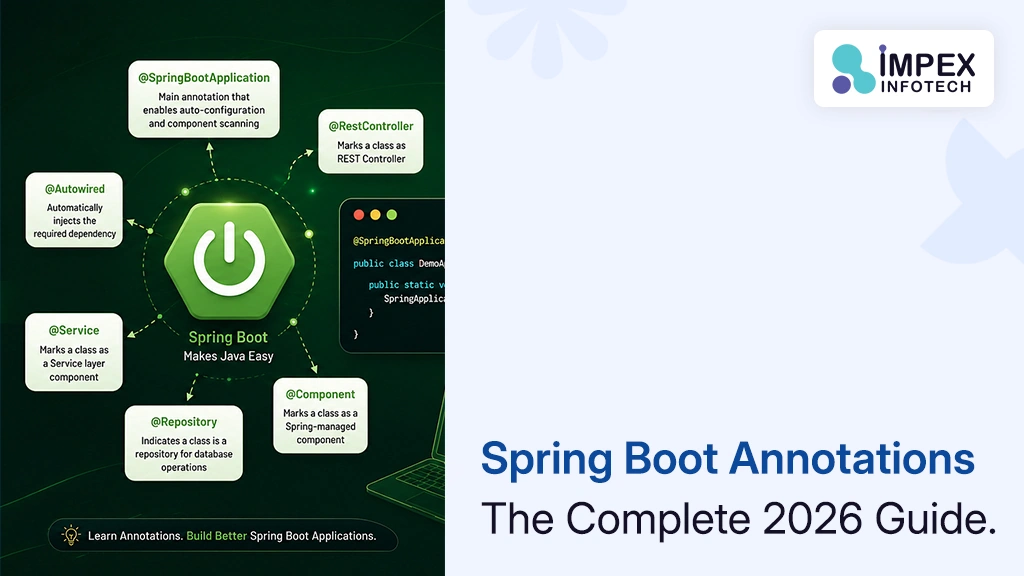
Spring Boot Annotations List With Examples
Spring Boot Annotations: The Complete 2026 Guide With Examples (and How AI Helps You Use Them Correctly) ⏱ 24 min...
Read More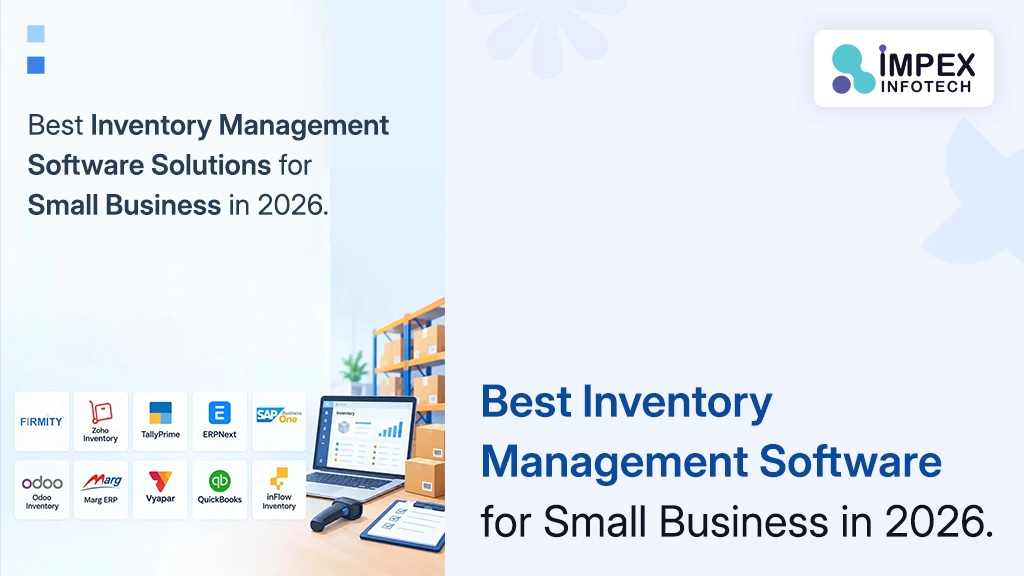
Inventory Management Software Solutions Small Business
Best Inventory Management Software Solutions for Small Business in 2026: Pricing, Features and When to Go Custom (USA & India)...
Read More
Amazon Web Hosting AWS Cloud Computing
Amazon Web Hosting (AWS) in 2026: How Cloud Hosting Works, What It Really Costs and How to Host Your Website...
Read MoreRecent Posts
Spring Boot Annotations List With Examples
Spring Boot Annotations: The Complete 2026 Guide With Examples (and How AI Helps You Use Them Correctly) ⏱ 24 min...
Read More
Inventory Management Software Solutions Small Business
Best Inventory Management Software Solutions for Small Business in 2026: Pricing, Features and When to Go Custom (USA & India)...
Read More
Amazon Web Hosting AWS Cloud Computing
Amazon Web Hosting (AWS) in 2026: How Cloud Hosting Works, What It Really Costs and How to Host Your Website...
Read More